Nonprofit Data Backup and Account Recovery Checklist
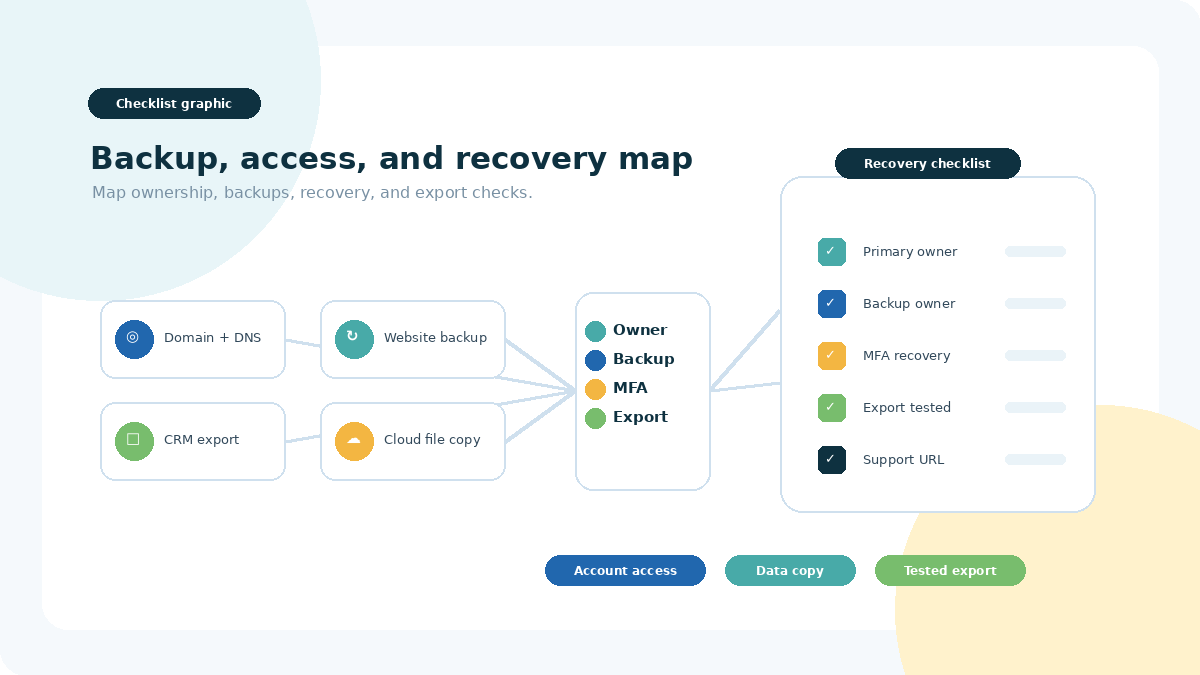
Important note: This checklist is not legal, privacy, cybersecurity, insurance, or disaster-recovery advice. Verify current recovery procedures, export scope and format, backup and restore options, retention and deletion windows, billing status, administrator permissions, plan eligibility, costs, and support channels directly with each provider. Features and rules can change, and an export, synced copy, or version history may not include everything needed to restore a working service.
Many small nonprofits build their systems one urgent need at a time. A volunteer registers the domain. A staff member creates the form account. A consultant owns a website login. A founder’s phone receives the multi-factor authentication code. Nothing feels risky until that person leaves, changes phones, becomes unavailable, or a provider asks for proof that nobody has prepared.
This NPO Resources checklist helps small teams map account ownership, backup owners, recovery routes, data exports, and simple review habits. The goal is not to create a perfect technology policy in one day. The goal is to identify the accounts and data your nonprofit would need to keep basic operations running.
For provider-level research inside this continuity cluster, review resource pages for connected website, analytics, and form systems such as WordPress, Webflow, Wix, Google Analytics, Google Search Console, Jotform, and Calendly. Verify current account ownership, export scope, recovery options, retention controls, admin roles, and support routes directly with each provider.
Start with a 30-minute account and data inventory
Start with systems that would disrupt money, communications, program work, required records, or the public website if access were lost. You do not need to finish every detail at once. A partial inventory is still better than discovering during a lockout that nobody knows who owns the account.
Accounts to include
- Domain registrar and DNS host.
- Email or identity system.
- Website CMS, hosting, backup service, and form tools.
- Cloud file storage.
- CRM, email marketing, and donor communication tools.
- Donation platform, fundraising tools, payment processor, payout settings, and bank-linked accounts.
- Accounting, payroll, expense, and tax-filing tools.
- Forms, surveys, scheduling, and program systems.
- Social media, analytics, advertising, design, and asset accounts.
- Password manager and approved secure storage.
- Vendor, consultant, integration, and automation accounts.
Fields to record without recording secrets
Use a simple table. The inventory should point authorized people to the approved secure place where credentials are managed. It should not contain passwords, MFA recovery codes, API keys, private keys, bank credentials, domain transfer codes, or other secrets.
System:
Purpose:
Account or customer ID:
Primary owner:
Backup owner:
Admin email:
Billing or renewal owner:
MFA checked:
Recovery route checked:
Export or backup checked:
Official support URL:
Last review date:
Notes:
Give every critical system a primary and backup owner
One-person systems are common in growing nonprofits. That does not mean anyone did something wrong. It does mean the organization should know which systems depend on a single staff member, board member, volunteer, founder, consultant, phone, email address, or payment card.
Prefer organization-controlled identities
Where the provider allows it, use organization-controlled email and account ownership rather than a personal inbox. Some services still require named individual profiles, but the nonprofit should understand who controls recovery, billing, notices, data exports, and admin role changes.
Use appropriate roles instead of shared logins
A backup owner does not always need full administrative power. Use the least access that still lets the person complete their responsibility. Named accounts with individual multi-factor authentication are usually easier to audit and hand off than a single shared login.
Find one-person dependencies
- Only one person is a full administrator.
- Only one phone or app can approve MFA prompts.
- A consultant or former volunteer created the account.
- Billing notices go to a personal inbox.
- The renewal card belongs to one person.
- The domain, website host, or DNS provider is not in the inventory.
- Exports exist, but nobody has opened or checked them.
- The password manager has no current emergency-access plan.
Check MFA and recovery before a phone or role changes
Multi-factor authentication, often shortened to MFA, can reduce some account-takeover risk. It does not guarantee that an account is secure or that recovery will be simple. Review the provider’s current continuity and recovery options before a phone is replaced, a staff member leaves, or a volunteer account becomes unavailable.
- Confirm MFA is enabled where appropriate and supported, especially for email, domain, website, finance, CRM, donation, and password-manager accounts.
- Check the provider’s official recovery options.
- Give the backup owner a valid individual account and MFA method where supported.
- Remove obsolete personal recovery phones, emails, or devices during offboarding.
- Store provider-issued recovery material only in approved secure storage with limited access.
- Test the documented process carefully without bypassing controls or locking out the live account.
Protect domain, DNS, email, and website control
The domain registrar, DNS host, website host, CMS, email host, SSL certificate, and website builder can all be different services. Access to one does not automatically provide access to the others. If your website is being reviewed or rebuilt, pair this inventory with the Nonprofit Website Platform Selection Checklist.
Domain and billing checklist
- Registrar and account holder.
- DNS provider and nameservers.
- Domain expiration date and renewal setting.
- Current payment method owner.
- Notice email addresses and backup contacts.
- Authorized admins.
- Official support path.
- Who can approve a transfer or payout-impacting change.
Do not store domain transfer codes or account secrets in the checklist. Record where authorized people can find the approved secure process if needed.
Website backup checklist
- Does the process cover database content?
- Does it cover uploads, media, theme files, plugin files, configuration, custom code, builder data, and integrations?
- Where are backup files stored, and who can access them?
- How often are backups created?
- How long are they kept?
- Who receives failure notices?
- What does a restore cost, and who can request it?
- When was a low-risk test last performed?
A WordPress content export, hosting snapshot, plugin backup, and full database-and-files backup are not always the same thing. Confirm what each method includes before relying on it.
Check cloud files, CRM, donation, form, and accounting exports
Cloud files are more than a sync folder
Cloud storage may include sync, version history, recycle-bin recovery, export tools, or restore features. These are related, but they are not interchangeable. A synced copy can also sync deletions or unwanted changes. Confirm your provider’s current retention windows, permanent-deletion behavior, and export options.
CRM and donor data
For CRM and donor systems, check whether exports include contacts, gifts, campaigns, funds, notes, relationships, custom fields, consent preferences, attachments, users, and configuration details. Restricted payment information may not be exportable and should not be handled casually. For adjacent selection questions, review the Small Nonprofit CRM Selection Checklist and the Nonprofit Donation Page Checklist.
Forms, surveys, and uploaded files
- Who owns the form account?
- Where are responses stored?
- Are uploaded files included in exports?
- Do linked spreadsheets or notifications depend on a personal account?
- What retention or deletion settings apply?
- Who can download data when the usual owner is unavailable?
Accounting and payment reports
Transaction lists, payout reports, invoices, receipts, refunds, disputes, chart settings, and audit history may live in different systems. Coordinate with the bookkeeper, accountant, treasurer, fiscal sponsor, or approved finance owner before changing exports or retention practices.
Test an export before calling it usable
- Choose a small representative sample or safe test dataset.
- Run the provider’s official export and note scope, filters, status, and errors.
- Move the export to approved access-controlled storage before any download link expires.
- Open representative files and check expected fields, attachments, date ranges, relationships, and encoding.
- Compare a few records with the source system.
- Confirm whether the provider supports import or restore and what is excluded.
- Record the test date, result, owner, and disposal date.
Call this an export check unless the organization has actually performed a restore in an appropriate test environment. A successful export does not automatically prove that a full service can be restored later.
Add account continuity to offboarding
Offboarding is not only about removing access. It is also about preserving required organizational data, transferring supported ownership, updating recovery routes, and removing one-person dependencies. For recurring responsibility tracking, the Nonprofit Project Management Tool Selection Checklist may help your team document owners and review dates.
Before the person leaves
- Inventory owned files, forms, calendars, automations, and dashboards.
- Transfer account ownership through provider-supported steps.
- Confirm admin roles, billing contacts, recovery methods, and notices.
- Preserve required files and records under approved retention practices.
- Identify integrations, scheduled exports, API connections, and vendor relationships.
At access cutoff
- Remove or suspend access at the authorized time.
- Revoke sessions, devices, connected apps, and obsolete roles through provider controls.
- Update recovery and billing contacts.
- Rotate relevant shared or integration credentials in the systems that manage them.
- Document completion and unresolved gaps.
Do not delete an account or mailbox before checking ownership transfer, retention, privacy, grant, contract, and sponsor requirements. When the situation involves legal or contractual questions, use qualified advice instead of guessing.
Clarify ownership for fiscal sponsors, chapters, and affiliates
Fiscal sponsorship, chapter, affiliate, and parent-organization structures can make account ownership less obvious. Document answers before a transition, vendor change, or conflict.
- Which legal entity is the account holder, registrant, customer, or contracting party?
- Whose tax identity, bank account, contract, and payment card are used?
- Who can change payouts, admins, billing, or domain settings?
- Who keeps which records if the relationship ends?
- Who pays for transition access, exports, or vendor support?
- What do the agreement and provider terms say about transfer, retention, deletion, and export?
What to do after a lockout or lost admin access
- Use the provider’s official website and support or recovery instructions. Avoid unexpected recovery links.
- Check whether an authorized backup administrator still has access.
- Gather safe evidence, such as account ID, contract, invoices, timestamps, notices, and prior case numbers. Do not circulate secrets.
- Follow provider identity or ownership verification without bypassing MFA or impersonating anyone.
- If compromise is suspected, follow the provider’s incident guidance and involve authorized organizational contacts.
- Check connected email, domain/DNS, password manager, billing, payout, and integration accounts.
- Document confirmed facts, actions taken, and support case status.
The provider decides its recovery process, evidence requirements, timeframe, and outcome. Keep the team focused on verified facts and official channels.
Use a simple quarterly review calendar
| Quarter | Focus | Output |
|---|---|---|
| Q1 | People, admins, recovery, MFA, and offboarding | Current owners and removed stale access |
| Q2 | CRM, donor, form, file, and accounting exports | Opened sample, documented omissions, safe retention date |
| Q3 | Domain, DNS, website, integrations, and billing | Renewals checked and low-risk backup or restore review recorded |
| Q4 | One continuity scenario | Gaps, owners, and due dates |
Review sooner after a personnel change, fiscal-sponsor transition, vendor migration, website or domain move, new payment flow, material integration change, billing failure, or suspected compromise. Keep this inventory with your other nonprofit resources and operating procedures, but keep secrets in approved secure storage.
Related continuity, website, and workflow resources
Use these related NPO Resources pages when backup and account recovery work connects to website platforms, forms, analytics, CRM, donation systems, project ownership, or technology eligibility.
- Nonprofit Website Platform Selection Checklist — review website ownership, exports, hosting, maintenance, and platform handoff questions.
- Nonprofit Online Form and Intake Workflow Checklist — review form ownership, routing, exports, retention, and deletion decisions.
- Online Form and Scheduling Tools for Nonprofits — compare form and scheduling tools that may store responses, uploads, bookings, or notifications.
- Nonprofit Website Analytics Checklist — review analytics ownership, privacy choices, reporting sources, and account continuity.
- Nonprofit Project Management Tool Selection Checklist — clarify recurring review owners, task handoffs, and offboarding follow-up.
- Small Nonprofit CRM Selection Checklist — review CRM exports, donor data, roles, and backup admin questions.
- Nonprofit Donation Page Checklist — review donation platform ownership, payout access, receipts, donor data, and launch testing.
- Nonprofit Tech Discount Application Checklist — review eligibility accounts, proof documents, renewal ownership, and handoffs.
Provider resource pages to review
For provider-level research, review the NPO Resources entries for WordPress, Webflow, Wix, Google Analytics, Google Search Console, Jotform, and Calendly. Verify current export scope, recovery paths, retention controls, admin roles, billing contacts, and nonprofit fit directly with each provider.
Frequently asked questions
Not necessarily. Sync can copy changes across devices, including deletions or unwanted changes. Version history, recycle bins, exports, restore tools, and independent backups can all work differently. Confirm what your provider and plan actually include.
Not by itself. A WordPress content export can be useful, but a working website may also depend on the database, media files, theme and plugin files, configuration, builder data, integrations, DNS, hosting, and provider-specific steps.
There is no universal schedule. Consider how often the data changes, how disruptive a loss would be, what the provider allows, sensitivity, retention policy, staff capacity, cost, and any grant, contract, accounting, or privacy obligations.
An authorized backup administrator can reduce one-person dependency, but the role should still be appropriate. Use named accounts, individual MFA, and the least access that supports the person’s responsibility where the provider allows it.
Only in organization-approved secure storage with limited access, following provider and password-manager guidance. Do not store recovery codes in ordinary documents, shared spreadsheets, email threads, or public board packets.
Review provider terms, contracts, and organizational authority. Transfer supported ownership before the relationship ends when possible, document what was changed, and seek qualified advice if ownership or data rights are disputed.
Not automatically. Export scope, field names, relationships, attachments, date formats, metadata, and supported import or restore paths vary. Open a representative sample and confirm what the provider can and cannot re-import.
Confirm the legal account holder, authorized admins, tax or bank identity, data responsibilities, transition rights, billing, export, retention, and deletion terms with the sponsor or parent organization and the provider.
Start small. Inventory the five accounts whose loss would disrupt the next week, assign current primary and backup owners, verify official recovery paths, and test one representative export. Then schedule the next quarterly review.