Small Nonprofit CRM Selection Checklist
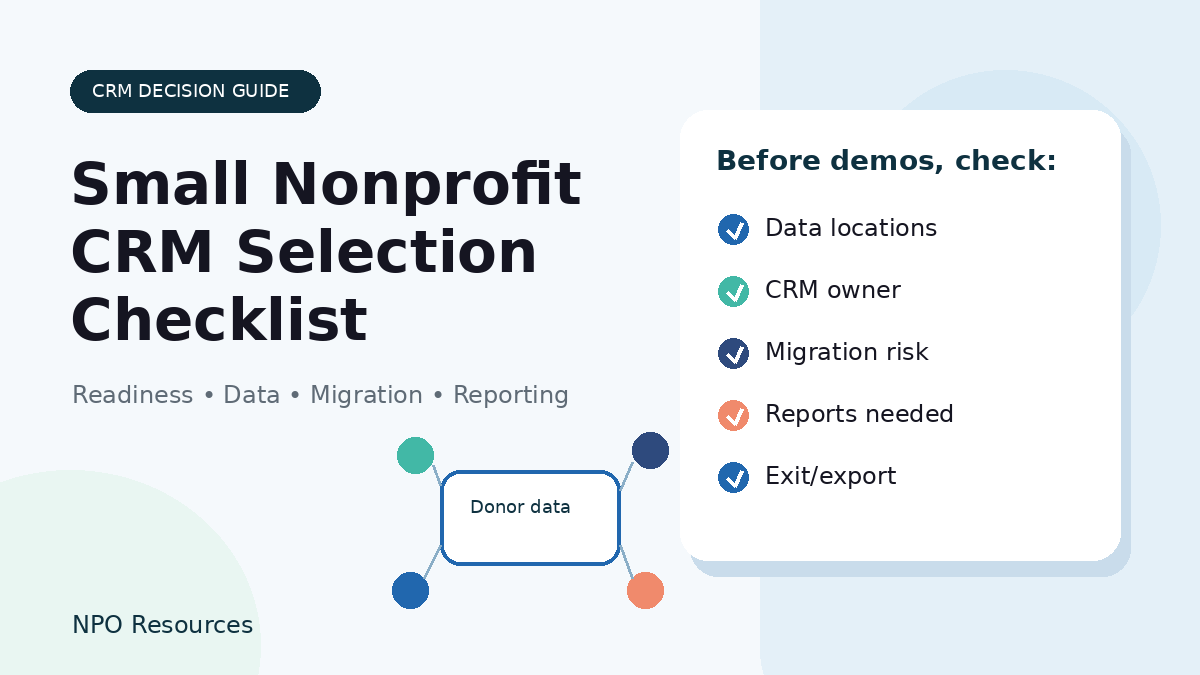
Neutrality note: NPO Resources does not rank or endorse CRM tools. This checklist is designed to help nonprofit teams decide what to verify before selecting, keeping, or switching donor management systems.
Choosing a CRM is not only a software decision. For a small nonprofit, it is also a data cleanup project, a staff-capacity decision, a fundraising workflow decision, and sometimes a migration risk. A platform demo can look polished, but the right questions usually start before the demo.
Use this checklist to prepare for CRM conversations, compare different types of donor management setups, and decide what evidence to collect before committing to a system.
Browse related Donor CRM & Operations resources →
Use this checklist alongside the broader Donor Management and Operations Tools for Nonprofits guide and the CRM Tools for Nonprofits guide. For provider-level research, review resource pages for Bloomerang, DonorDock, DonorPerfect, Neon CRM, Salesforce Nonprofit Cloud, Blackbaud Raiser’s Edge NXT, and Kindful.
Start with readiness before comparing CRMs
Many CRM projects stall because the organization starts with vendor names before it has named the problem it needs to solve. Before comparing tools, answer a few internal questions.
- Who will own the CRM after launch? Name the staff person or role responsible for data quality, permissions, reports, and day-to-day use.
- Where does donor data currently live? Include spreadsheets, donation platforms, email lists, event tools, accounting files, personal inboxes, and old databases.
- Which workflows must improve? Common examples include gift entry, acknowledgments, donor segmentation, board reports, recurring gifts, and campaign tracking.
- What reports do decision-makers actually use? Avoid building around reports no one reads.
- How much implementation time is realistic? Budget staff time for cleanup, import testing, training, and follow-up support.
Quick CRM readiness checklist
If several of these items are unclear, it may be worth pausing vendor demos until the team has a cleaner picture of its current data and workflows.
- ☐ We know who will be the CRM owner after launch.
- ☐ We have admin access to current donation, email, event, and database tools.
- ☐ We can export current donor/contact data from every major source.
- ☐ We know which records are individuals, households, organizations, volunteers, funders, or event contacts.
- ☐ We know how gifts are acknowledged today and what needs to change.
- ☐ We know whether recurring donors are tied to a separate payment processor or donation platform.
- ☐ We can describe the reports leadership and the board actually use.
- ☐ We have a realistic first-year budget that includes cleanup, migration, training, and add-ons.
CRM selection checklist
Use the questions below as a working checklist. For any important answer, save the source URL, plan or tier name, access date, and whether the answer came from documentation or a written vendor response.
1. Organization fit
- ☐ Does the system fit your current contact and donor volume?
- ☐ Is there room for expected growth without immediately moving into a higher-cost tier?
- ☐ Are enough user seats included for staff who truly need access?
- ☐ Can board or finance reporting happen through exports or dashboards instead of extra logins?
2. Data model
- ☐ Can the CRM handle individuals, households, organizations, and funders in a way that matches your donor relationships?
- ☐ Can it track soft credits, pledges, recurring gifts, tribute gifts, and restricted funds if those matter to your organization?
- ☐ Are custom fields easy enough for nontechnical staff to maintain?
- ☐ Can staff segment lists without needing a technical query language?
3. Online giving relationship
- ☐ Does the CRM include donation forms, or does it rely on an integration with another tool?
- ☐ If donation forms are separate, how does gift and donor data move into the CRM?
- ☐ Can recurring donors update payment details, change gift amount, pause, or cancel without staff manually handling every request?
- ☐ Are platform fees, payment processor fees, and optional add-ons clearly separated?
If donation pages are part of the decision, also review the Nonprofit Donation Page Checklist.
4. Receipts and acknowledgments
- ☐ Can the system send donation acknowledgments in the format your organization needs?
- ☐ Can letters or email receipts be customized by campaign, fund, or gift type?
- ☐ Can year-end summaries be generated without a manual spreadsheet project?
- ☐ Are country-specific receipt or charitable acknowledgment requirements something you need to verify separately?
This article is not legal or tax advice. If receipts, substantiation, Gift Aid, CRA requirements, or other country-specific rules matter to your organization, confirm requirements with official sources or a qualified advisor before relying on a CRM workflow.
5. Communications and reporting
- ☐ Does the CRM include email tools, integrate with your current email platform, or require exports?
- ☐ Can staff create useful donor segments without needing outside help?
- ☐ Can it report on donor retention, lapsed donors, campaign performance, and giving by fund or appeal?
- ☐ Can leadership get the reports they need without depending on one person’s custom spreadsheet?
For broader context, see CRM Tools for Nonprofits and Donor Management and Operations Tools for Nonprofits.
6. Integrations
- ☐ Does the system connect to the payment processor, accounting tool, email platform, event tool, or website setup you already use?
- ☐ Is the integration native, third-party, export-based, or custom?
- ☐ Does data sync one way or both ways?
- ☐ What happens when an integration fails or a duplicate record is created?
7. Migration and import
- ☐ Can you import historical gifts, not just names and emails?
- ☐ Can soft credits, pledges, recurring gift records, funds, campaigns, and notes be migrated?
- ☐ Is there a test import or sandbox process?
- ☐ Will recurring donors need to take action if payment processing changes?
- ☐ Can the vendor or consultant put key migration answers in writing?
CRM migration and payment processor migration are not always the same project. If monthly donor payment details are involved, ask about your exact source and destination systems before making assumptions.
8. Data ownership, exit, and security
- ☐ Does the vendor clearly explain how your organization can export data?
- ☐ What export formats are available if you cancel?
- ☐ Are role-based permissions and staff offboarding controls available?
- ☐ Is security or trust documentation available for the level of donor data you store?
- ☐ Are backup, restore, audit log, and data residency questions relevant to your organization?
Different types of CRM setups to compare
A small nonprofit does not always need the largest or most complex system. It helps to compare the type of setup first, then look at specific tools.
- Spreadsheet or lightweight tracker: May work for a very simple donor list, but can become risky when gift history, acknowledgments, households, or reporting become complex.
- Donation platform used as a simple donor database: Can be practical when most fundraising happens online, but may be limited for broader relationship management and reporting.
- Dedicated small nonprofit CRM: Often designed around donor records, acknowledgments, segmentation, and nonprofit fundraising workflows.
- General-purpose CRM adapted for nonprofit use: Can be flexible, but may require more setup, administration, and implementation support.
- Enterprise fundraising suite: May fit larger or more complex teams, but can be beyond the capacity of a small organization without dedicated administration.
NPO Resources includes neutral resource pages for tools such as Little Green Light, DonorPerfect, Bloomerang, DonorDock, Neon CRM, Salesforce Nonprofit Cloud, Blackbaud Raiser’s Edge NXT, and Kindful. Treat these as examples to research, not endorsements, and verify current product scope, migration path, pricing, integrations, and data export behavior directly with each provider.
What to ask before a vendor demo
Before a demo, write down the scenarios you need to see. A useful demo should show your real workflows, not only a polished overview.
- Show how two duplicate donor records are identified and merged.
- Show the acknowledgment a donor actually receives after a gift.
- Show the reports leadership or the board actually uses.
- Show how a recurring donor changes their card or gift amount.
- Show how gift data moves to accounting or reconciliation workflows.
- Explain what data can be exported if the organization leaves later.
- Put important answers about pricing, migration, integrations, and support in writing.
When it may be too early to switch
Switching systems can be worth it, but it is not always the next right step. A nonprofit may need more preparation if no one owns the CRM decision, data is scattered across personal accounts, a major campaign is underway, or there is no time for cleanup and training.
In those cases, the practical next step may be a data inventory, export cleanup, or workflow map before choosing a platform.
Related NPO Resources guides
For broader nonprofit resources, these related NPO Resources checklists can help you compare connected decisions without treating any tool as a one-size-fits-all answer.
- Nonprofit Donation Page Checklist — Use this before comparing how online giving data should flow into your CRM.
- Nonprofit Email Newsletter Selection Checklist — Review how donor and supporter lists connect to email communication.
- Nonprofit Project Management Tool Selection Checklist — Plan ownership, migration tasks, and weekly follow-up around a CRM change.
- Nonprofit Data Backup and Account Recovery Checklist
Related CRM and donor operations resources
Use these related NPO Resources pages when the checklist raises a more specific question about donor operations, CRM comparison, donation-page data, or provider research.
- Donor Management and Operations Tools for Nonprofits — use this as the broader source-based hub for donor management and operations tools.
- CRM Tools for Nonprofits — compare CRM-focused source-based considerations and provider resource links.
- Donor CRM & Operations resources — browse the full topic archive for donor management and operations Resource pages.
- Nonprofit Donation Page Checklist — review online giving data, receipts, recurring gifts, and testing when donation tools connect to the CRM.
- Nonprofit Data Backup and Account Recovery Checklist — review account ownership and export/backup practices before a CRM change.
Provider resource pages to review
These provider resource pages can help a small nonprofit move from checklist questions into concrete tool research. Inclusion here is not a ranking or endorsement.
- Bloomerang
- DonorDock
- DonorPerfect
- Neon CRM
- Salesforce Nonprofit Cloud
- Blackbaud Raiser’s Edge NXT
- Kindful
Frequently asked questions
Not always. A very small donor list may work in a spreadsheet for a while, especially if gift history and reporting needs are simple. A CRM becomes more useful when acknowledgments, recurring gifts, households, campaigns, or board reports become hard to manage manually.
A donation platform usually focuses on collecting online gifts and managing payment workflows. A CRM usually focuses on donor records, relationship history, segmentation, reporting, and broader fundraising operations. Some tools overlap, so confirm what will replace your current process and what will remain separate.
Prepare a list of current data sources, the reports your team actually uses, the workflows that are broken today, and the gift or donor scenarios you want the vendor to demonstrate. This makes demos more practical and less sales-driven.
It depends on the current platform, destination CRM, and payment processor. Do not assume payment details or recurring schedules can move automatically. Ask vendors to explain the exact migration path for your source and destination systems before choosing a timeline.
Some small nonprofits can handle a basic setup internally, especially with clean data and simple workflows. A consultant may be useful when historical gifts, multiple data sources, recurring donor migration, custom reports, or staff training are more complex.
Not necessarily. Sometimes a scheduled dashboard, PDF report, or staff-prepared summary is safer and easier than giving extra accounts to board members. Consider cost, privacy, role permissions, and what the board actually needs to review.
Source note: CRM pricing, eligibility, feature availability, security documentation, and migration behavior can change. Before publishing vendor-specific claims, confirm current official sources and document the access date.