Nonprofit Email Newsletter Selection Checklist
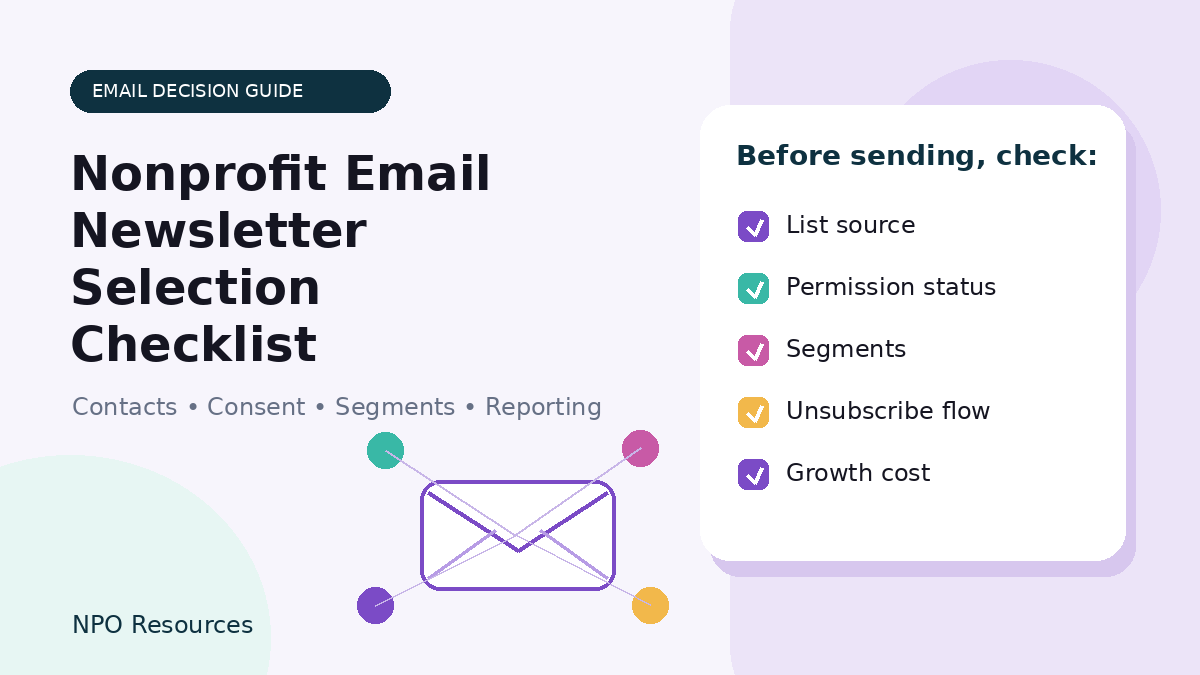
Neutrality note: NPO Resources does not rank or endorse email newsletter tools. This checklist is designed to help nonprofit teams understand what to verify before choosing, keeping, or switching an email platform.
Choosing an email newsletter tool can feel bigger than it should. One platform talks about automation, another talks about audiences, another talks about contacts, and every pricing page seems to count something slightly different. For a small nonprofit, the better starting point is simpler: what do you send, who does the work, who should receive each message, and what can your team maintain consistently?
This NPO Resources checklist helps you review the people, contact list, permission history, segments, integrations, reporting, and cost questions that matter before you compare tools or schedule demos.
Browse related Email & Communications resources →
Use this checklist alongside the broader Email Marketing Tools for Nonprofits hub, the Nonprofit Newsletter and Email List Tools guide, and the Email Automation Tools for Nonprofit Communications guide. For provider-level research, review resource pages for Mailchimp, MailerLite, Brevo, SendGrid, ActiveCampaign, HubSpot Marketing Hub, Campaigner, and Klaviyo.
Before comparing tools, take a 30-minute inventory
A new email platform will not automatically fix unclear ownership, a messy list, or a confusing unsubscribe process. Before you compare vendors, write down the current state of your communications.
- Message types: newsletters, donor updates, appeals, event reminders, volunteer notices, program updates, or board/member communications.
- Realistic frequency: how often the organization can send useful messages without overwhelming supporters or staff.
- Primary owner: who writes, reviews, sends, and replies to messages.
- Backup owner: who can step in if the main person leaves, gets busy, or loses access.
- Source systems: CRM, donation platform, event tool, forms, spreadsheets, website signups, or old email lists.
- Contact status: subscribed, unsubscribed, bounced, duplicate, stale, unknown, or imported from another system.
- Permission history: how contacts joined the list and what they expected to receive.
- Must-work segments: two or three audience groups you actually need, such as monthly donors, volunteers, event attendees, or local supporters.
- Budget and growth: current list size, expected growth, sending volume, users, integrations, and renewal cost concerns.
If you are also reviewing donor records and CRM workflows, pair this with the Small Nonprofit CRM Selection Checklist.
Nonprofit email platform selection checklist
Use the sections below as a practical review tool. You do not need the platform with the longest feature list. You need a setup your actual team can use responsibly, consistently, and within budget.
1. People and weekly workflow
- ☐ We know who owns the email calendar, drafts, approvals, sending, and replies.
- ☐ We know who can access the account if the main person is unavailable.
- ☐ The platform supports the number of users and roles we actually need.
- ☐ The review process is simple enough for the team to follow before each send.
- ☐ Templates, lists, segments, and naming conventions can be understood by a future staff member or volunteer.
2. Contacts, permission, and migration
Do not treat a successful import as proof that every address should receive email. Review where contacts came from, what they expected, and what statuses need to be preserved.
- ☐ We can identify the source of each major contact group.
- ☐ We know which contacts are subscribed, unsubscribed, bounced, inactive, duplicate, or unknown.
- ☐ We know how unsubscribes and suppressions will be preserved during migration.
- ☐ We have a plan to clean duplicates and stale addresses before sending broadly.
- ☐ We understand which contact statuses count toward billing in the platform we are reviewing.
- ☐ We will test imports with non-sensitive or approved sample data before moving the full list.
For broader nonprofit resources on this topic, see Nonprofit Newsletter and Email List Tools.
3. Lists, segments, and preferences
Segmentation should match real nonprofit communication needs, not marketing complexity for its own sake. A small number of useful segments is better than a confusing system no one maintains.
- ☐ The platform can build the two or three audience groups we actually use.
- ☐ Staff can exclude groups when needed, such as people who already registered or recently gave.
- ☐ Supporters can update interests or preferences if that matters to the organization.
- ☐ Sensitive program, beneficiary, health, crisis, or case-management data is not synced into an email tool without an approved reason and review.
- ☐ The platform makes it clear whether lists, tags, groups, segments, or audiences affect billing or duplicate counts.
4. Signup and unsubscribe experience
- ☐ Signup forms work on mobile and explain what the person is joining.
- ☐ The unsubscribe process is easy to find and test.
- ☐ We understand the difference between unsubscribing from one type of message and all marketing messages, if the platform supports that distinction.
- ☐ The CRM or donation system receives the correct subscription status when someone changes preferences.
- ☐ We know who monitors replies, preference issues, and unsubscribe complaints.
This article is general decision support, not legal advice. Email rules and consent expectations can depend on location, message type, audience, and organization practices. Confirm applicable requirements and platform policies before sending.
5. Templates and accessibility
A polished template is not automatically an accessible email. Test the actual message your supporters will receive.
- ☐ Text is readable on mobile and desktop.
- ☐ Important text is not trapped only inside images.
- ☐ Images have useful alt text when needed.
- ☐ Links are descriptive, not just “click here.”
- ☐ Headings and reading order make sense.
- ☐ Color contrast, zoom, dark mode, and plain-text versions are checked where practical.
- ☐ The team can edit the template without breaking spacing, buttons, or mobile layout.
6. Deliverability basics
No platform can guarantee inbox placement. Deliverability depends on wanted mail, list quality, sender practices, authentication setup, bounces, complaints, engagement, and other factors.
- ☐ We know who will set up domain authentication or coordinate with the domain administrator.
- ☐ The platform explains bounces, complaints, suppressions, and sender reputation in a way the team can understand.
- ☐ We have a plan for old or inactive contacts instead of blasting the full list immediately.
- ☐ We will monitor unsubscribes and complaints after each major campaign.
- ☐ We avoid misleading subject lines or messages that supporters would not expect.
7. CRM, donation, event, and website connections
An “integration” can mean different things. It may be one-way, delayed, limited by plan, handled by a third-party connector, or dependent on field mapping. Test real workflows before relying on it.
- ☐ We know which system is the source of truth for email address and subscription status.
- ☐ CRM, donation, event, form, and website signups sync the fields we actually need.
- ☐ We know whether sync is one-way or two-way.
- ☐ Duplicate handling is tested with sample records.
- ☐ Failed syncs create alerts or a clear review process.
- ☐ Needed integrations are included in the proposed plan or quote.
For more related context, see Email Marketing Tools for Nonprofits and Email Automation Tools for Nonprofit Communications.
8. Reporting that leads to action
- ☐ The team knows which metrics matter before comparing dashboards.
- ☐ Reports include delivery, bounces, clicks, unsubscribes, complaints, and other useful signals.
- ☐ Open rates are interpreted cautiously because privacy features and automated activity can affect them.
- ☐ Donation or event attribution is treated as helpful context, not perfect proof.
- ☐ Reports can be exported or summarized for staff or board review.
- ☐ Someone is responsible for turning reports into a next action.
9. Cost as the list grows
The right cost question is not only “What does it cost today?” Ask how cost changes when the list grows, send volume increases, more users need access, or integrations and automation become necessary.
- ☐ We know what the platform counts: contacts, subscribers, marketing contacts, sends, users, audiences, or another unit.
- ☐ We have a dated quote or plan estimate for the exact setup we are reviewing.
- ☐ We model cost at current size and at two realistic growth points.
- ☐ We include migration, onboarding, support, integrations, templates, extra users, and add-ons.
- ☐ We understand renewal, cancellation, downgrade, export, and overage rules.
- ☐ Any nonprofit discount is confirmed directly and checked for renewal terms.
10. Security and continuity
- ☐ The account uses organization-controlled email and recovery options.
- ☐ Each user has their own access rather than sharing one login.
- ☐ Roles and permissions match what people need to do.
- ☐ Multi-factor authentication is available or the organization has a security plan appropriate to risk.
- ☐ Sensitive data is minimized and not synced into the email platform without a clear reason.
- ☐ Segments, templates, integrations, and reporting routines are documented for handoff.
Questions to ask before a demo
Ask the vendor or trial environment to show real workflows, not just a polished overview.
- Which records and statuses count toward our bill?
- What would this setup cost now, at two growth levels, and at renewal?
- Which features shown in the demo are included in the quoted plan?
- Can you build our actual audience segments and exclusions?
- Can you demonstrate topic preferences, partial opt-out, and full unsubscribe?
- How are unsubscribes and suppressions preserved across imports, exports, and CRM sync?
- Can you show a failed sync, the alert, and the recovery process?
- What domain authentication work is required, and what help is included?
- Can we create and inspect a real email on mobile, desktop, and plain text?
- What data can we export if we leave?
A small trial beats a polished demo
Before committing, run a small trial with fabricated or approved test records. Import a few contacts with different statuses, create two preferences, build one segment and one exclusion, send test messages, change a preference, unsubscribe a contact, test one CRM or form update, and export the data.
Write down every workaround and every step only one person understood. That list often tells you more than the demo.
How to decide without ranking vendors
Instead of looking for one tool that is right for every nonprofit, create a simple decision sheet for your organization. For each tool, mark whether each must-work scenario is confirmed in the exact plan, demonstrated successfully, unclear, or likely to require manual work. Add current cost, expected growth cost, and the named internal owner.
A volunteer-led organization and a staffed fundraising team may reasonably choose different tools. The goal is not to choose the most complex system. The goal is to choose a process your team can operate and your supporters can trust.
Related email and communications resources
Use these related NPO Resources pages when the checklist raises a more specific question about email tool comparison, newsletter list management, automation, donor data, or team workflow.
- Email Marketing Tools for Nonprofits — use this as the broader source-based hub for email marketing tool comparison.
- Nonprofit Newsletter and Email List Tools — compare newsletter and list-management workflows for nonprofit communications.
- Email Automation Tools for Nonprofit Communications — review welcome sequences, donor follow-up, event reminders, and automation limits.
- Email Marketing & Communications resources — browse the full topic archive for email and communications Resource pages.
- Small Nonprofit CRM Selection Checklist — check whether supporter records, donations, and communications need to connect more clearly.
- Nonprofit Project Management Tool Selection Checklist — use this if newsletter work is getting scattered across people, deadlines, and approvals.
Provider resource pages to review
These provider resource pages can help readers move from checklist questions into concrete tool research. Inclusion here is not a ranking or endorsement.
Frequently asked questions
Not always, but a dedicated platform can help with unsubscribe handling, suppression lists, templates, basic reporting, and consistent sending. The question is whether your current method can safely support the way your organization communicates.
It depends on your workflow. Some tools combine contact management and email features, while others work best when connected to a separate CRM. Focus on the system of record, sync reliability, staff capacity, and reporting needs before deciding.
Do not assume that every past contact should receive email. Review how the address was collected, what the person expected, the message type, applicable rules, and platform policy. A successful import is not the same as a permission review.
Their opt-out or suppression status should be preserved and tested during migration. Avoid deleting the evidence and re-adding people as subscribed unless there is a clear, appropriate basis for doing so.
Start with successful delivery, bounces, clicks to meaningful actions, unsubscribes, complaints, replies, and completed donations or registrations where responsibly measurable. Treat open rates and attribution cautiously.
Test the workflows you will actually use: import, segment, exclude, send, unsubscribe, update preferences, sync with another system, inspect reports, and export data. Use fabricated or approved non-sensitive records for testing.
Source note: Email platform pricing, plan limits, contact-count rules, integrations, accessibility support, authentication steps, and compliance requirements can change. Confirm current official sources and document the access date before publishing vendor-specific claims.