
Important note: This checklist is general planning guidance, not fundraising, legal, accounting, tax, or grant-writing advice. Grantmaker priorities, application rules, deadlines, eligibility requirements, funding levels, and reporting expectations change. Verify every opportunity directly with the funder before investing staff time, sharing documents, or submitting an application.
Grant research can look productive while quietly creating extra work. A nonprofit team may collect dozens of funder names, copy old deadlines into a spreadsheet, or chase a promising opportunity before confirming whether the organization, program, geography, budget size, and reporting capacity actually fit.
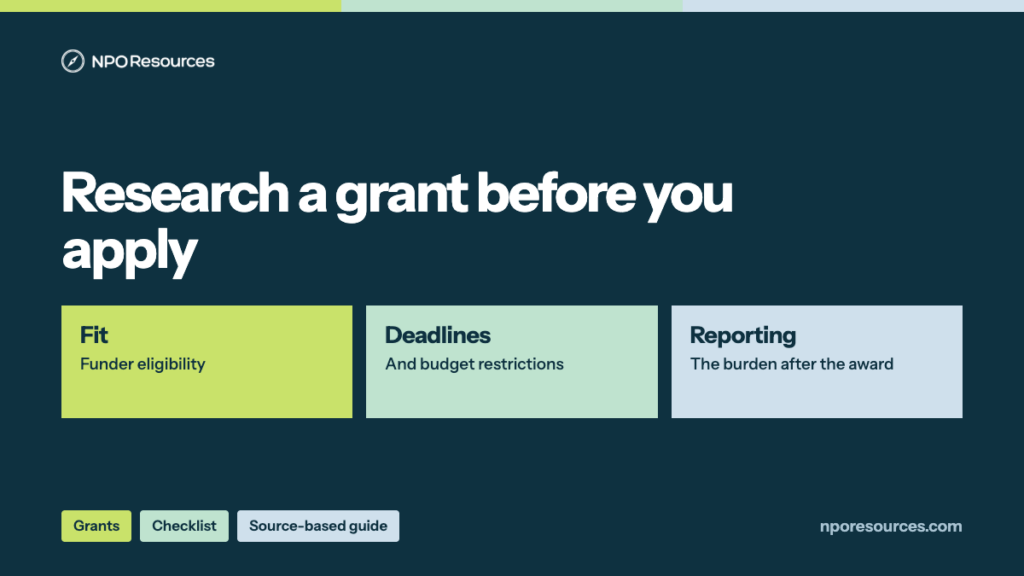
This NPO Resources checklist helps small nonprofits slow down before building a grants pipeline. Use it to define the funding need, check eligibility, verify fit, organize sources, and decide which opportunities deserve deeper work. The goal is not to find every possible grant. The goal is to avoid spending limited staff time on weak, outdated, or unclear opportunities.
Browse related Grants & Research resources →
Start with the funding need
Before searching databases or funder websites, write down what the organization is trying to fund. A general search for “grants for nonprofits” can produce a long list, but it does not tell you which opportunities fit your program, timeline, or reporting capacity.
Write a short funding statement
Use one sentence before prospecting:
We are looking for funding for [program or need] serving [audience] in [geography] during [time period], with a likely budget range of [amount].
This sentence helps separate a realistic opportunity from a distracting one. If the need is not defined yet, the team may need internal planning before external prospecting.
Separate project, operating, and capacity needs
A grant that supports a specific program may not support general operations, software, staff training, evaluation, equipment, or emergency needs. Label the funding need clearly so your research does not mix restricted and unrestricted possibilities without noticing.
Build a basic fit screen before saving prospects
Do not add every interesting funder to the active pipeline. First, use a simple screen to decide whether the opportunity deserves more review.
Check mission, geography, and population fit
- Does the funder support your cause area or program type?
- Does the funder support your service geography?
- Does the funder support your audience or population?
- Does the funder make grants to organizations like yours?
- Does the funder exclude any activities your project depends on?
Check organization eligibility early
Confirm whether the opportunity is limited by tax status, fiscal sponsorship, location, organization size, years in operation, religious activity, lobbying restrictions, school or government affiliation, previous grantee status, invitation-only rules, or required registration. Do this before drafting narrative language.
Verify the source, not only the summary
Grant databases, newsletters, AI summaries, search results, and old spreadsheets can help you discover leads, but they should not be the final authority. Always trace the opportunity back to the funder’s current page or official instructions when available.
Record the current official source URL
For each prospect, save the current funder page, application guidelines, FAQ, portal, or announcement page. If a database profile summarizes the funder, also keep the database link, but do not treat it as a replacement for the funder’s own instructions.
Mark the date checked
Every saved prospect should include a “last checked” date and reviewer name. A deadline copied last year may be wrong this year. If a source is blocked, unclear, or missing, mark it as needing manual confirmation rather than guessing.
Review deadline and application timing
A grant can fit on paper but still be unrealistic if the deadline is too close or the decision date does not match the project timeline.
- Application deadline or rolling review status
- Letter of inquiry deadline, if separate
- Invitation or pre-application requirement
- Expected decision date
- Project start and end date requirements
- Required board approval, partner letters, budgets, or attachments
- Time needed for internal review before submission
If the deadline is close, ask whether the opportunity is truly worth interrupting current work. A rushed application can weaken the organization’s relationship with a funder if it is incomplete or poorly matched.
Check budget fit and restrictions
Before writing, compare the funder’s typical grant size and restrictions with the actual need. A small grant may be useful, but not if the reporting burden, match requirement, or restricted budget creates more work than the funding supports.
Compare likely award size with real cost
- Typical award range or past grant amounts
- Minimum and maximum request amount
- Whether indirect costs or overhead are allowed
- Whether staff time can be included
- Whether equipment, software, transportation, food, incentives, or evaluation costs are allowed
- Whether matching funds are required
Flag restricted funding risks
If funding is highly restricted, write down what the organization would still need to cover from other sources. This is especially important for programs that require staff supervision, technology, insurance, transportation, or reporting support beyond the funded activity.
Review reporting and compliance capacity
Grant reporting is part of the decision, not an afterthought. A nonprofit should know whether it can track the information the funder expects before accepting an award.
- Required outcomes or performance measures
- Participant or service data that must be tracked
- Financial reporting format
- Receipt, invoice, or payroll documentation expectations
- Site visits, meetings, or progress report schedule
- Final report deadline
- Record retention expectations
- Who will own reporting if staff changes
For broader continuity planning, see the Nonprofit Data Backup and Account Recovery Checklist.
Organize prospects in one shared place
A grants pipeline does not need to be complex at first, but it should be consistent. Whether your team uses a spreadsheet, CRM, project tool, or grants platform, pick one place where prospect status is tracked.
Suggested prospect fields
Funder name:
Opportunity name:
Official URL:
Source or database URL:
Last checked:
Fit notes:
Eligibility status:
Deadline:
Likely ask amount:
Restrictions:
Required attachments:
Reporting burden:
Owner:
Next action:
Status:
If your team already tracks donor or funder relationships in a CRM, review the Small Nonprofit CRM Selection Checklist before creating a separate system that may become hard to maintain.
Decide whether to pursue, watch, or reject
Each prospect should end with a clear decision. Avoid leaving weak prospects in an active list just because nobody wants to delete them.
| Status | Use this when | Next step |
|---|---|---|
| Pursue | Mission, eligibility, timing, budget, and reporting fit are strong enough for deeper work. | Assign owner and begin LOI or application planning. |
| Watch | The funder may fit later, but the timing, invitation status, or current guidelines are not ready. | Add a review date and keep source links current. |
| Reject for now | The opportunity does not fit, the burden is too high, or eligibility is unclear after review. | Record the reason so the team does not repeat the same research later. |
A one-page grant research checklist
- Funding need is defined in one sentence.
- Program, geography, audience, and timeline are clear.
- Organization eligibility is checked against the current funder source.
- Official URL and source/database URL are saved.
- Deadline, LOI requirement, and decision timing are confirmed.
- Likely award size fits the project need.
- Restrictions, match requirements, and indirect cost rules are reviewed.
- Required attachments and approvals are listed.
- Reporting burden is understood before pursuing.
- Internal owner and backup owner are assigned.
- Prospect status is marked pursue, watch, or reject for now.
- Last checked date is recorded.
Related NPO Resources guides
Use these related nonprofit resources when the grants workflow touches research tools, CRM records, shared documents, project ownership, or continuity planning.
- Grant Research and Prospecting Tools for Nonprofits
- Nonprofit Project Management Tool Selection Checklist
- Small Nonprofit CRM Selection Checklist
- Nonprofit Data Backup and Account Recovery Checklist
- Nonprofit Tech Discount Application Checklist
Frequently asked questions
At minimum, check mission fit, service geography, organization eligibility, deadline timing, likely award size, restrictions, required attachments, and reporting expectations. Save the current official source URL and the date checked so the team knows where the information came from.
A grant database can help with discovery, but the nonprofit should verify details against the funder’s current official page or application instructions when available. Summaries, newsletters, and old spreadsheets can become outdated.
There is no universal number. A smaller, current list with clear pursue, watch, and reject decisions is usually easier to maintain than a large list of weak or outdated leads. The right number depends on staff capacity, funding goals, and how much follow-up each opportunity requires.
A grant may be a poor fit if the nonprofit is not eligible, the funder does not support the program area or geography, the deadline is unrealistic, the grant size is too small for the work required, or the reporting burden exceeds the team’s capacity. Record the reason so the team does not repeat the same research later.