
Neutrality note: NPO Resources does not rank or endorse tools. This guide summarizes publicly available information about website analytics tools and platform-level reporting so nonprofit teams can compare options and decide what to verify directly with each provider.
Nonprofit websites usually serve several audiences at once — donors, volunteers, program participants, funders, and the press. Understanding how those visitors reach the site, which pages they use, whether donation and signup flows complete, and how the site appears in search results is often spread across multiple tools rather than a single dashboard. This source-based guide organizes six NPO Resources entries that publicly reference website analytics, search performance, session behavior, or built-in platform reporting so nonprofit teams can compare monitoring options.
Tools are listed alphabetically. Inclusion does not imply endorsement. This guide focuses on the monitoring and reporting angle: what to measure, which tools publicly reference which measurement, and what to verify with the provider. A separate NPO Resources guide covers website platforms and digital tools more broadly.
Key information
Six NPO Resources entries
Dedicated analytics tools alongside the built-in reporting features publicly referenced by common website platforms.
Alphabetical, not ranked
Tools are listed A–Z. No scores, fit labels, or award-style marks are used.
Information reviewed on 2026-07-24
Details were reviewed from provider pages and NPO Resources entries on this date. Product names, data retention, and features may change afterward.
Confirm with each provider
Analytics products, terms of service, and platform reporting features vary by product tier, region, and configuration. Always verify with the provider.
On this page
- What website analytics tools usually cover
- How website analytics fits inside a nonprofit’s website workflow
- Information nonprofits may want to compare
- Website analytics tools listed in NPO Resources
- Tools at a glance
- What to verify with the provider
- Questions to ask before choosing an analytics setup
- Frequently asked questions
- Sources reviewed
What website analytics tools usually cover
“Website analytics” is a broad label. Providers describe similar work under labels such as web analytics, product analytics, behavior analytics, search performance, or site reporting. In practice, most nonprofit teams end up combining more than one tool: a traffic and engagement product, a search performance product, and, in some cases, a behavior analytics product that shows session recordings or heatmaps. The website platform itself usually surfaces a lighter layer of reporting on top of these.
Because providers use different labels for overlapping features, comparing feature lists alone can be misleading. This guide frames tools by what a nonprofit team may want to monitor — not by which product has the longest feature grid.
How website analytics fits inside a nonprofit’s website workflow
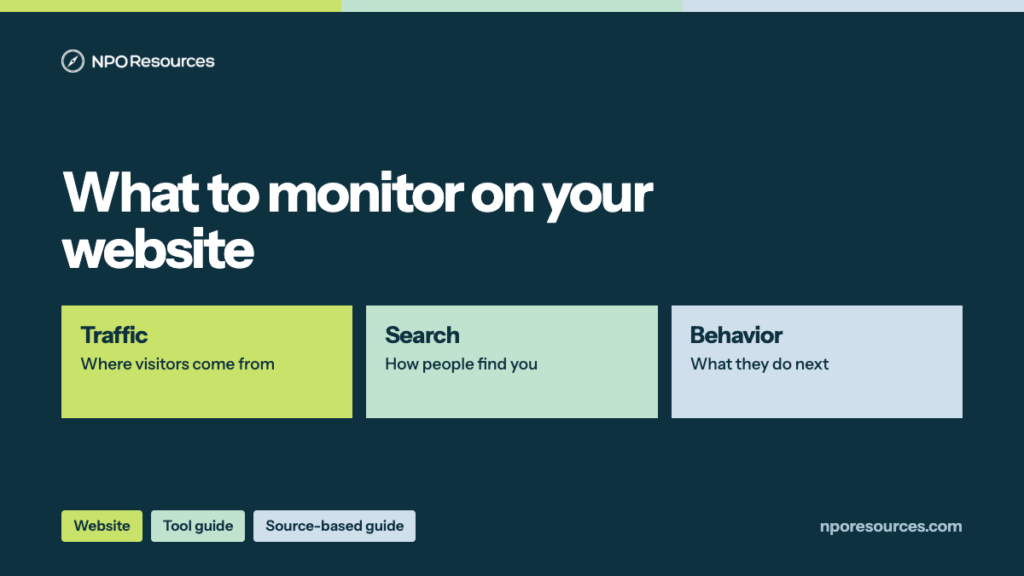
Traffic and audience
Where visitors come from (search, direct, referral, social, email), device and country breakdowns, and how those sources shift across campaigns.
Engagement and content
Which pages are viewed, how long visitors stay, and which content paths lead into donation, signup, or program flows.
Search performance and indexing
Which queries surface the site in Google Search, which pages are indexed, and whether the sitemap and structured data are being read as expected.
Session behavior and heatmaps
Session recordings, click and scroll heatmaps, and dead-click or rage-click indicators that show how visitors interact with a page in practice.
Donation and signup completion
Whether donation, volunteer, newsletter, and event flows complete, and where visitors drop off in multi-step forms.
Built-in platform reporting
The reporting layer surfaced inside WordPress dashboards or plugins, Wix Analytics, and Webflow Analytics or site-level stats.
Privacy, consent, and retention
Cookie consent, IP anonymization or masking, geographic data storage, and how long data is retained under the current product terms.
Reporting cadence and sharing
Which numbers the team reviews weekly, monthly, or quarterly, and how reports are shared with program leads, the board, and funders.
NPO Resources does not present any of these measurement areas as more important than the others. They are the routine questions a nonprofit communications or operations lead usually needs answered when reviewing site performance.
Information nonprofits may want to compare
The comparison areas below are the operational questions website measurement decisions usually come back to. They are not a scoring rubric. Every row is a category to verify with the provider, not a claim about a specific tool.
| Comparison area | Information to verify |
|---|---|
| Measurement scope | Whether the tool publicly references traffic, engagement, search performance, session behavior, or a mix; and which measurements it does not cover. |
| Pricing model | Whether the tool is publicly described as free, has a free tier, or requires a paid plan; and whether an enterprise tier exists separately. |
| Setup requirements | How the tool is installed (tracking snippet, verification file, DNS record, plugin, or built-in), and whether install requires developer help. |
| Data retention | How long collected data is retained under the current product terms and whether retention is configurable. |
| Privacy and consent | Cookie behavior, IP handling, geographic data storage, and how the tool interacts with a cookie consent banner. |
| Reporting and export | Prebuilt reports, custom reports or explorations, export formats, and any connection to a data warehouse or BI tool. |
| Integrations | Publicly listed connections to tag management, CMS platforms, donation forms, ad platforms, or other analytics products. |
| Team access | User seats, permission levels, and how access is granted or revoked when staff change. |
| Provider terms | Terms of service, acceptable use, and any nonprofit-specific documentation the provider publicly lists. |
| Roadmap and change history | How the product has changed recently (for example, product names, data models, or feature deprecations) and how change is communicated. |
Website analytics tools listed in NPO Resources
The tools below are published in the NPO Resources directory and either function as dedicated analytics products or publicly reference built-in analytics or reporting features on a website platform. They are listed alphabetically. Descriptions are intentionally factual and paraphrase publicly available provider information. Where a specific product or feature page could not be confirmed during this review, the entry is linked at the domain level and paired with a verification reminder.
Google Analytics
Publicly listed as a website and app analytics product from Google, used to measure traffic, engagement, and conversions across web and app properties. The standard product is publicly described as free for most organizations; an enterprise tier exists separately. Product names, data model, and retention settings have changed over time and access is governed by the provider’s terms of service. Verify current product version, data retention settings, and terms with the provider.
Google Analytics resource pageGoogle Search Console
Publicly described as a free tool from Google for monitoring how a site appears in Google Search results, submitting sitemaps, and reviewing indexing status and search performance. Verification is typically handled through a DNS record, HTML file, HTML tag, or Google Analytics/Tag Manager. Product access is governed by Google’s broader terms; verify current features, verification methods, and terms with the provider.
Google Search Console resource pageMicrosoft Clarity
Publicly described as a free behavior analytics product from Microsoft, covering session recordings, heatmaps, and click and scroll insights for a website. Setup uses a tracking snippet added to site pages. Product access is governed by Microsoft’s broader terms; verify current features, data retention, privacy settings, and terms with the provider.
Microsoft Clarity resource pageWebflow
Publicly listed as a website design and hosting platform. Provider pages historically reference site-level statistics and analytics-related features accessible from the Webflow dashboard, alongside the option to install third-party analytics tools via the site’s custom code area. The specific current analytics or reporting feature page could not be confirmed during this review; verify current built-in reporting scope and third-party analytics setup steps with the provider.
Webflow resource pageWix
Publicly listed as a hosted website builder. Provider pages historically reference a Wix Analytics area covering traffic, visitor behavior, sales, and marketing reports at various plan levels, alongside the option to connect third-party analytics such as Google Analytics. The specific current analytics feature page and any plan-level differences could not be confirmed during this review; verify current built-in reporting scope with the provider.
Wix resource pageWordPress
Content management system commonly used by nonprofits, available as two distinct paths. WordPress.org is open-source software, typically self-hosted, and reporting is usually provided via plugins (site stats plugins, third-party analytics plugins, or code snippets that integrate tools such as Google Analytics, Google Search Console, or Microsoft Clarity). WordPress.com is a commercial hosted product operated by Automattic and publicly references its own site stats alongside plan-dependent access to additional analytics options. The specific current stats and plugin pages could not be confirmed during this review; verify each path separately with its official source.
WordPress resource pageTools at a glance
The table below groups the same six tools by publicly listed category and typical measurement posture. This is a factual grouping only — it does not rank tools or imply that any category is preferred.
| Tool | Publicly listed category | Typical posture |
|---|---|---|
| Google Analytics | Website and app analytics | Traffic, engagement, and conversion measurement across web and app properties |
| Google Search Console | Search performance and indexing | Search visibility, sitemap submission, and indexing status for Google Search |
| Microsoft Clarity | Website behavior analytics | Session recordings, heatmaps, and click and scroll insights for a website |
| Webflow | Website design and hosting platform | Built-in site-level statistics plus the option to install third-party analytics via custom code |
| Wix | Hosted website builder | Wix Analytics reports at various plan levels plus the option to connect third-party analytics |
| WordPress | Content management system | WordPress.org: plugin-based reporting on self-hosted installs. WordPress.com: built-in site stats plus plan-dependent add-ons |
What to verify with the provider
Use the checklist below when reviewing a specific analytics tool or a website platform’s reporting features. The goal is not to rank tools, but to make sure the team has confirmed the details that matter most before installing, sharing data, or reporting to the board.
What the tool measures
Confirm which measurements are publicly referenced (traffic, engagement, search performance, session behavior, conversions) and which are not covered.
Setup path
Confirm whether setup requires a tracking snippet, a plugin, a verification file, or a built-in toggle, and whether developer help is required.
Data retention settings
Confirm how long collected data is retained under current terms, whether retention is configurable, and how deletion requests are handled.
Consent and IP handling
Confirm cookie behavior, IP anonymization or masking, geographic data storage, and how the tool interacts with the cookie consent banner in use.
Reports and exports
Confirm the prebuilt reports available, how custom reports are built, and how data can be exported for the team’s board or funder reporting.
User seats and permissions
Confirm how team access is granted, which permission levels exist, and how access is revoked when staff change.
Connected systems
Confirm publicly listed connections to tag management, CMS platforms, donation forms, ad platforms, and other analytics products.
Product change history
Confirm how the provider communicates product changes, deprecations, or name changes, and whether historical data is preserved across those changes.
Questions to ask before choosing an analytics setup
- Which measurements does the team actually use each month, and which are only referenced during a campaign or annual review?
- Which numbers are reported to the board or to funders, and which tool is the source of truth for each of them?
- Is the website platform’s built-in reporting enough for regular monitoring, or is a dedicated analytics tool required?
- Which cookie consent, IP handling, and data retention settings must be configured before the tool goes live?
- Who inside the team owns installation, verification, and monthly reporting, and who has admin access?
- How will donation, volunteer, newsletter, and event flow completions be measured, and by which tool?
- How will search performance and indexing be reviewed, and how often will sitemap and coverage issues be checked?
- How will session behavior insights (recordings, heatmaps) be used, stored, and eventually deleted?
- What is the plan if the provider changes product names, data model, or free-tier limits during the year?
Related website and digital resources
Use these related NPO Resources pages when analytics review turns into a broader website platform, form intake, donation, email campaign, or account ownership question.
- Nonprofit Website Analytics Checklist — turn analytics review into a simple decision, path, record source, and follow-up action.
- Website and Digital Tools for Nonprofits — compare the broader website and digital tool context around analytics.
- Nonprofit Website Platform Selection Checklist — review platform ownership, publishing, integrations, and maintenance questions.
- Nonprofit Online Form and Intake Workflow Checklist — review form and intake paths that analytics may measure but should not replace.
- Nonprofit Donation Page Checklist — compare donation-path measurement with the donation platform or CRM source of record.
- Nonprofit Data Backup and Account Recovery Checklist — confirm analytics and website accounts remain organization-owned and recoverable.
Provider resource pages to review
For provider-level research, review the NPO Resources entries for Google Analytics, Google Search Console, Microsoft Clarity, WordPress, Webflow, Wix, Jotform, and Calendly. Verify current setup paths, data retention, consent behavior, exports, account access, and nonprofit fit directly with each provider.
Frequently asked questions
Google Analytics is publicly described as a website and app analytics product focused on measuring traffic, engagement, and conversions once visitors reach the site. Google Search Console is publicly described as a free tool focused on how the site appears in Google Search results, including sitemap submission, indexing status, and search performance. Many nonprofits use both because they answer different questions; verify current features and terms with the provider before assuming coverage.
Session recordings and heatmaps, publicly referenced by behavior analytics tools such as Microsoft Clarity, focus on how visitors interact with a specific page — where they click, how far they scroll, and where they appear to hesitate or drop off. Traffic analytics typically summarize visits and events across the site but do not replay individual sessions. The two categories are often used together; verify current features, retention, and privacy settings with the provider.
Each website platform publicly references some level of built-in reporting. WordPress.com publicly references site stats on its hosted product; WordPress.org self-hosted installs typically rely on plugins or embedded third-party analytics. Wix publicly references Wix Analytics reports at various plan levels. Webflow publicly references site-level statistics accessible from the Webflow dashboard, alongside the option to install third-party analytics via custom code. Feature scope varies by plan and changes over time; verify current details with each provider.
Analytics tools may set cookies, collect IP addresses, and store data in specific regions. The exact behavior depends on the product, configuration, and terms of service in effect at the time. Many nonprofits pair analytics with a cookie consent banner and configure IP handling and data retention explicitly. NPO Resources does not provide legal advice; verify current privacy settings, data storage locations, and applicable local regulations with the provider and with qualified counsel.
Sources reviewed
Information reviewed on 2026-07-24. Provider product pages, feature pages, and terms may change after review. Where a specific feature or product page could not be confirmed during this review, the article links at the provider’s domain level. Some provider domains may block automated requests; a bot-block is treated as an access limitation, not a broken page.
- Google Analytics official website. Link checked 2026-08-30. Confirm current product version, data retention settings, and terms with the provider.
- Google Search Console official website. Link checked 2026-08-30. Confirm current features, verification methods, and terms with the provider.
- Microsoft Clarity official website, Microsoft Clarity product page. Links checked 2026-08-30. Confirm current features, data retention, and privacy settings with the provider.
- Webflow official website, Webflow product page. Links checked 2026-08-30.
- Wix official website, Wix product page, Wix pricing page. Links checked 2026-08-30. Confirm specific current analytics feature page and any plan-level differences with the provider.
- WordPress.org official website. Link checked 2026-08-30. Confirm open-source software, plugin-based reporting) and WordPress.com official websites (built-in stats and plan-dependent options with the provider.
- NPO Resources directory entries for each tool listed above.
Related NPO Resources coverage: the Website & Digital Tools topic page groups these tools alongside other website and digital resources, and the NPO Resources blog lists additional source-based guides.