
Important note: This article is general educational information, not legal, tax, or purchasing advice. The rules for Adobe for Nonprofits are set by Adobe, its verification partner Goodstack, and TechSoup, and they change. Confirm them on the official pages linked below before you rely on them.
Your communications lead wants Photoshop, your finance person needs to sign PDFs, and a volunteer keeps asking for the shared Adobe password. You search for Adobe’s nonprofit discount and find a free offer, a $15 offer and a TechSoup offer, each with its own rules.
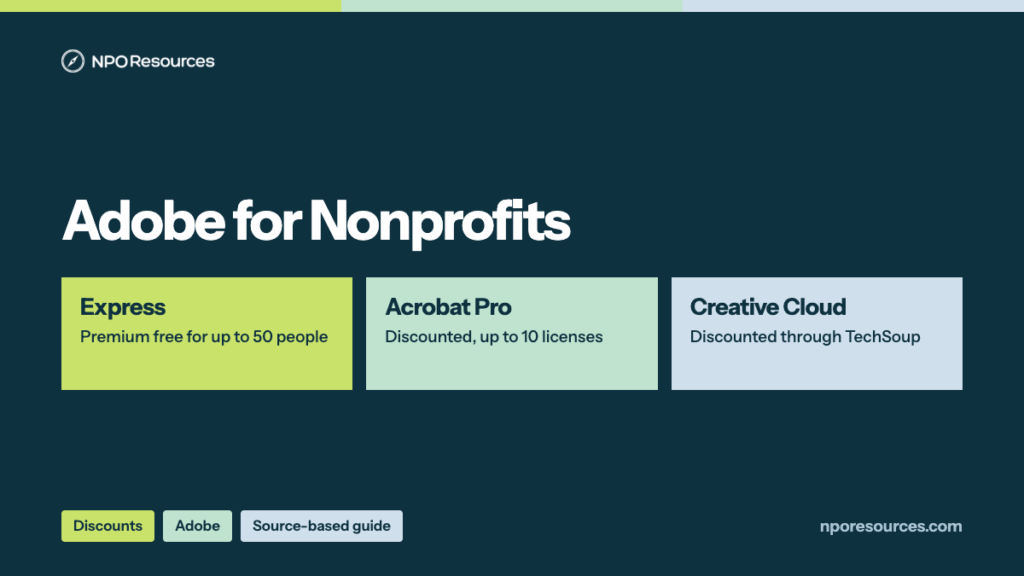
The short answer: Adobe for Nonprofits isn’t one program. It’s three offers with separate doors, like three ticket windows at the same station. Adobe Express Premium is free, Acrobat Pro costs US$15.00 a year per license, and Creative Cloud is discounted through TechSoup. And every license belongs to one named person, not to your organization. This guide shows which offer fits which need, what each really costs, the caps, how renewal works, and the steps, all from Adobe’s and TechSoup’s official pages (dates in the sources list).
Key takeaways
- Adobe for Nonprofits is three offers: Adobe Express Premium free for up to 50 people, Acrobat Pro at US$15.00 a year per license for up to 10 people, and Creative Cloud Pro at a discount through TechSoup (Adobe, 9 November 2026).
- Express and Acrobat start on adobe.com and are verified by Goodstack, usually in 1–3 business days. Creative Cloud goes through TechSoup, with a $5 admin fee.
- Every license is for one named person and can’t be shared; for Express and Acrobat, each person applies and is verified separately, for each product.
- You qualify with 501(c)(3) status or as a public library. Schools and government agencies are excluded, and Acrobat Pro adds a $10 million operating-budget limit.
- Express doesn’t renew on its own: you reapply every year. Acrobat Pro and Creative Cloud may renew automatically, but Adobe can ask you to revalidate.
Watch: the whole process in under three minutes
Which of the three offers fits your team, what each costs, who qualifies, and the steps on adobe.com and TechSoup. English captions available.
Stuck on a step?
Free help from connectNPO, the team behind NPO Resources. No cost, no sales pitch. Tell us where you’re stuck and we’ll reply by email. Your organization applies itself; we never ask for passwords, bank details or your EIN.
On this page
- Adobe nonprofit pricing: which offer do you need?
- Who qualifies for Adobe for Nonprofits
- Licenses are per person, not per organization
- What to have ready
- How to apply for Adobe Express for Nonprofits or Acrobat Pro
- How to get Adobe Creative Cloud through TechSoup
- Renewal: what happens after a year
- Adobe Express or Canva?
- What Adobe’s pages don’t answer
- Sources reviewed
- Frequently asked questions
- Related NPO Resources guides
Adobe nonprofit pricing: which offer do you need?
Adobe’s nonprofit terms, read on 9 November 2026, list three offers. Here they are side by side, with the regular prices from Adobe’s Acrobat and Creative Cloud plan pages for comparison:
| Offer | Good for | Nonprofit price | How many | Where you apply |
|---|---|---|---|---|
| Adobe Express Premium | Social posts, flyers, short videos, presentations | Free for one year; no credit card required | Up to 50 people | adobe.com, verified by Goodstack |
| Acrobat Pro | Editing PDFs, e-signatures, web forms | US$15.00 a year per license (regular US$239.88 a year) | Up to 10 people | adobe.com, verified by Goodstack |
| Creative Cloud Pro | Photoshop, Illustrator, Premiere Pro, InDesign and more | At least 49% off the monthly rate (regular US$69.99 a month, annual plan billed monthly), plus a $5 TechSoup admin fee | Unlimited | TechSoup |
By our arithmetic, 10 Acrobat Pro licenses cost $150 a year at the nonprofit price, against $2,398.80 at the regular annual price. For Creative Cloud, TechSoup says the exact discount “depends on Adobe’s current rates,” so check the price Adobe shows you at checkout. You may also see the plan called “All Apps”: Adobe’s Express and Acrobat FAQs and TechSoup’s program page use that name, while Adobe’s terms and TechSoup’s product listing say Creative Cloud Pro.
Who qualifies for Adobe for Nonprofits
The 30-second check
- Is your organization an IRS-recognized 501(c)(3) or a public library? Look it up in the IRS Tax Exempt Organization Search.
- Are you outside the excluded groups: schools and universities, and government agencies?
- For Acrobat Pro only: is your annual operating budget US$10 million or less?
- For Express and Acrobat: is the person applying on your staff? TechSoup’s Creative Cloud offer also allows volunteers.
Yes to each one that applies: you look eligible, and Goodstack or TechSoup makes the final call. Unsure? Read the details below, or ask us.
Adobe’s FAQ says an organization “must be recognized as a charitable or nonprofit organization in the country where it is registered.” In the U.S., that means a 501(c)(3) or a public library; Adobe says public libraries “must either have valid 501(c)(3) nonprofit status or be listed in the Institute of Museum and Library Services (IMLS) database.”
Eligible
- IRS-recognized 501(c)(3) nonprofits
- Public libraries with 501(c)(3) status or an IMLS listing
- Nonprofit staff, applying one person at a time
Not eligible
- Schools, academic institutions and universities (Adobe points them to Adobe for Education)
- Government agencies or entities (Adobe for Government)
- Organizations that advocate, support or engage in discrimination
- For Acrobat Pro: budgets over US$10 million
- Beneficiaries, members and donors of a nonprofit
The budget rule covers one offer. Adobe’s terms apply the US$10 million limit only to Acrobat Pro. TechSoup says organizations “with annual operating budgets of any size are eligible” for Creative Cloud. If your exemption lapsed for missing filings, fix that first; our Form 990-N guide explains how it happens.
Licenses are per person, not per organization
This rule is easy to miss. For Express and Acrobat Pro, Adobe’s terms say: “Each product license is issued to a single named user and may not be shared. If your organization requires multiple licenses, each individual user must complete the validation process and obtain separate approval.” Think of a library card with a name on it rather than a spare office key on a hook.
One person, one license
No shared Adobe login for the office. Each person who needs Express or Acrobat applies for their own.
One validation per product
Adobe’s FAQ: “Yes, you must complete the validation for each product offer.” Express and Acrobat are separate applications.
Staff only on adobe.com
“Nonprofit staff are eligible.” TechSoup’s Creative Cloud offer says it’s valid “if the user is an employee or volunteer within an organization.”
Need team access?
Adobe’s FAQ points organizations that need more licenses or team-based access to discounted Education Teams plans under its VIP buying program.
What to have ready
For Express and Acrobat Pro (adobe.com, Goodstack)
- The organization’s legal name or ID; Adobe’s form searches by “Organization name or ID.”
- An organization email address for each person. Adobe asks for “a valid organization email address”; because licenses are per person, we suggest each person use their own.
- For Acrobat Pro: an annual operating budget of US$10 million or less.
For Creative Cloud (TechSoup)
- A TechSoup account for your organization.
- A credit card or PayPal account for Adobe’s monthly billing, plus the $5.00 admin fee.
- For each user, an email address not already tied to an Adobe ID from a retail purchase or an earlier TechSoup offer.
Our nonprofit tech discount application checklist covers the same records for other programs, and our Goodstack page explains the verifier Adobe uses for Express and Acrobat.
How to apply for Adobe Express for Nonprofits or Acrobat Pro
These steps follow Adobe’s application page and nonprofit terms, read on 9 November 2026. Each person repeats them, once for each product they need. We describe the screens in words rather than show them, because the form asks for your organization’s details.
1Open the product page and select Apply now
Start on the Adobe Express for Nonprofits or Acrobat for Nonprofits page.
2Find your nonprofit
Choose your country, then search for your organization by name or ID. Adobe says it partners with Goodstack “to add your nonprofit and verify eligibility.”
3Confirm your details
Adobe asks for “the organization’s name, a valid organization email address, and a few details about your organization.” We suggest your own organization email, not a personal one.
4Verify through Goodstack
Goodstack emails you to verify the organization. Adobe says validation “typically takes 1–3 business days.” If it’s unsuccessful, Goodstack follows up by email with next steps.
5Redeem or buy
Approved Express applicants get “a one-time, non-transferable redemption code.” Approved Acrobat applicants get “a link to purchase at the discounted rate” of US$15.00 a year.
6Repeat for each person
Up to 50 people for Express and up to 10 for Acrobat Pro. We suggest each one apply with their own organization email.
How to get Adobe Creative Cloud through TechSoup
Creative Cloud uses the other door. Adobe’s terms say validation “must be completed through TechSoup, including registration on their platform.” The rest comes from TechSoup’s Creative Cloud listing, read on 9 November 2026:
1. Register with TechSoup. Your organization signs up at TechSoup, where Adobe’s terms say validation happens. The offer is for 501(c)(3) nonprofits and public libraries.
2. Request the offer and pay the admin fee. TechSoup charges a $5.00 administrative fee per membership; it isn’t refundable.
3. Follow TechSoup’s email. When TechSoup approves the request, it sends instructions to your organization email address.
4. Pay Adobe at the discount. You pay Adobe monthly, at least 49% below its current rate, with a credit card or PayPal account. The membership “comes with a one-year contract obligation.”
Already have Creative Cloud? TechSoup says the offer “is not available to current Creative Cloud members.” If you already have an Adobe ID from a retail purchase or an earlier TechSoup offer, “you must create a new one, using a different email address.” And because each membership is tied to one person’s Adobe ID, your organization can’t change that ID or password later, so plan billing for when someone leaves.
Renewal: what happens after a year
Some offers renew like a magazine subscription; another works like a yearly permit you have to pick up again. Adobe’s nonprofit terms spell out the difference:
If Adobe asks you to revalidate and you don’t, or you’re no longer eligible, the terms say you “will lose access to the discounted price” and can buy at the standard price or move to a free version where one exists. Put a reminder in your calendar about a month before each anniversary.
Adobe Express or Canva?
Both are free for eligible nonprofits, and both verify through Goodstack. The difference is the shape of the offer. Adobe Express gives up to 50 individual Premium licenses, each applied for separately and reapplied every year. Canva gives one team of up to 50 people. Our Canva for Nonprofits guide covers Canva’s rules; if your team already works in Photoshop or Illustrator, Adobe says Creative Cloud Libraries let you bring those design assets into Express.
What Adobe’s pages don’t answer
We recheck this page against the official sources. Last checked: 9 November 2026.
NPO Resources is run by connectNPO, a company that provides website and accounting services to nonprofits. This guide and the help offered here are free and separate from those services. We are not affiliated with Adobe, Goodstack or TechSoup, and we receive nothing when your organization signs up.
Sources reviewed
We read the sources below on 9 November 2026. Prices and rules change; check the source before relying on any figure here.
- Adobe: Adobe for Nonprofits (FAQ: eligibility, offers, licenses, limits), Adobe Express for Nonprofits (FAQ), Acrobat for Nonprofits (price, FAQ), application page, Terms for nonprofit product offerings (offers, eligibility, validation, renewal, contacts).
- Adobe plans: Acrobat plans (Acrobat Pro US$239.88 a year), Creative Cloud plans (Creative Cloud Pro US$69.99 a month, annual, billed monthly).
- TechSoup: Adobe for Nonprofits, program details, Creative Cloud for individuals Pro plan listing (admin fee, discount, licensing, eligibility).
- IRS: Tax Exempt Organization Search.
Frequently asked questions
Partly. Adobe Express Premium is free for up to 50 people at an eligible nonprofit, for one year at a time. Acrobat Pro costs US$15.00 a year per license, for up to 10 people. Creative Cloud is discounted, not free, through TechSoup. Prices checked on 9 November 2026.
US$15.00 a year per license, for up to 10 licenses, for organizations with an annual operating budget of US$10 million or less. The regular price is US$239.88 a year, so 10 licenses cost $150 instead of $2,398.80, by our arithmetic.
Through TechSoup. Your organization registers and validates with TechSoup, pays a $5.00 admin fee per membership, and then pays Adobe monthly at least 49% below the current rate, on a one-year contract. The offer is not available to current Creative Cloud members, and if you already have an Adobe ID from a retail purchase or an earlier TechSoup offer, you need a new one with a different email.
IRS-recognized 501(c)(3) nonprofits and public libraries with 501(c)(3) status or an IMLS listing. Schools and universities and government agencies are not eligible. Nonprofit staff can apply; beneficiaries, members and donors cannot.
No. Adobe says each license is issued to a single named user and may not be shared. Each person who needs Express or Acrobat applies and is verified separately, for each product.
It depends on the offer. Adobe Express does not auto-renew; you reapply each year for a new redemption link. Acrobat Pro and Creative Cloud may renew automatically, but Adobe may ask you to revalidate your nonprofit status first.
Both are free for eligible nonprofits and verified through Goodstack. Adobe Express gives up to 50 individual Premium licenses, each applied for separately and reapplied yearly; Canva gives one team of up to 50 people. Our Canva for Nonprofits guide covers Canva’s rules.
Related NPO Resources guides
- Adobe program fact sheet — the offer at a glance.
- Nonprofit discounts and tech access — compare discount programs side by side.
- Canva for Nonprofits and Zoom for Nonprofits — two more Goodstack-verified programs.
- Slack for Nonprofits — free Pro for workspaces of up to 250 members, and how to apply.
- QuickBooks for Nonprofits — QuickBooks Online through TechSoup for a yearly admin fee, and how to set it up.
- Google for Nonprofits — one account for Workspace, Ad Grants and YouTube, and which login to use.
- Google Workspace for Nonprofits and Microsoft 365 for Nonprofits — free email and office tools.
- Claude AI for Nonprofits and ChatGPT for Nonprofits — two AI discounts explained the same way.
- Nonprofit tech discount application checklist — the records most programs ask for.
- Docusign for Nonprofits — 30% off annual eSignature plans, and how to apply.
- Nonprofit tech discounts — how to check other software programs at the source.