
Important note: This article is general educational information, not legal, tax, accounting or purchasing advice. The rules for donated QuickBooks are set by Intuit and TechSoup, and they change. Confirm them on the official pages linked below, and ask your accountant how to set up your books.
The treasurer has been keeping the books in a spreadsheet, the board wants a Statement of Activity, and someone mentions that nonprofits get QuickBooks cheap through TechSoup. Or you already pay Intuit every month and wonder why you never heard about the nonprofit offer.
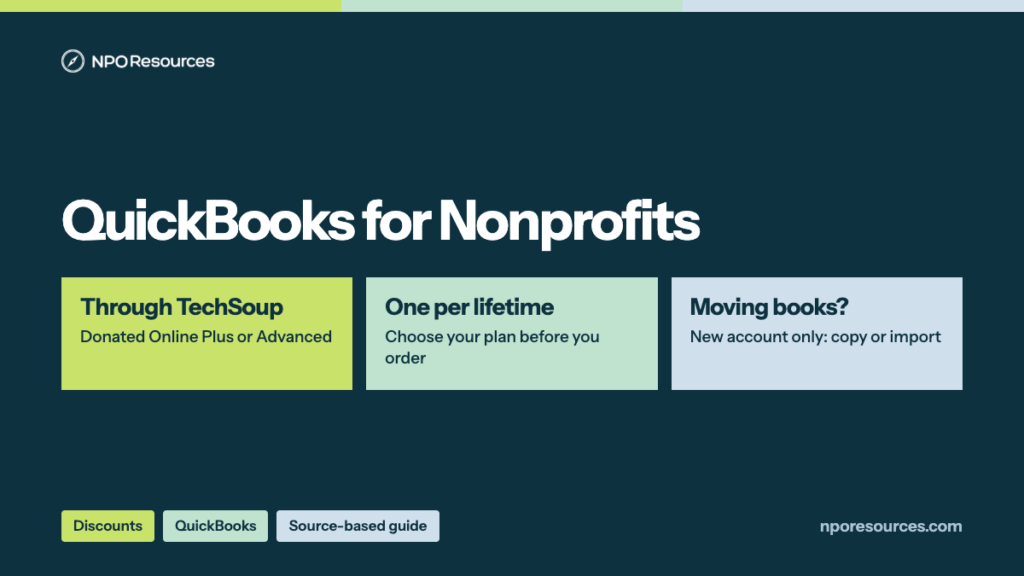
The short answer: QuickBooks for nonprofits isn’t free, but it’s close. Through TechSoup, an eligible nonprofit gets a donated QuickBooks Online Plus subscription for an $80 yearly admin fee, or Advanced for $170. The discount is the easy part. The real decision is a move. The TechSoup QuickBooks offer only works on a brand-new QuickBooks Online account, so if you already use QuickBooks, you’re planning a move, not flipping a switch. This guide covers the price, who qualifies, the steps, moving existing books, and setting QuickBooks up for a nonprofit, from TechSoup’s and Intuit’s official pages (dates in the sources list).
Key takeaways
- QuickBooks for nonprofits comes through TechSoup as a donated subscription: QuickBooks Online Plus (up to 5 users) for an $80 admin fee a year, or Advanced (up to 25 users) for $170 a year (TechSoup, 9 November 2026).
- Intuit’s regular prices are $140 a month for Plus and $340 a month for Advanced, so the savings are large. Payroll and other add-ons aren’t included.
- You need a qualified TechSoup account, 501(c)(3) public charity or public library status, and an annual operating budget of less than $10 million. Each organization gets one donated subscription in its lifetime.
- The offer can’t be applied to an existing QuickBooks Online account. Existing users copy or migrate their data into the new, donated account.
- After setup, switch QuickBooks to nonprofit mode (Form 990) so you get pledges, donors, and the Statement of Activity. Renew with TechSoup every 12 months.
Watch: the whole process in under three minutes
What TechSoup charges, who qualifies, the steps from TechSoup to Intuit, and how to move existing books. English captions available.
Stuck on a step?
Free help from connectNPO, the team behind NPO Resources. No cost, no sales pitch. Tell us where you’re stuck and we’ll reply by email. Your organization applies itself; we never ask for passwords, bank details or your EIN.
On this page
- QuickBooks for nonprofits pricing: Plus or Advanced
- Who qualifies
- What to have ready
- How to get TechSoup QuickBooks, step by step
- Already using QuickBooks?
- Set up QuickBooks Online for a nonprofit
- Renewal, and what happens if you stop
- Who helps with what, and where GivingArc fits
- Sources reviewed
- Frequently asked questions
- Related NPO Resources guides
QuickBooks for nonprofits pricing: Plus or Advanced
TechSoup offers two donated QuickBooks Online subscriptions, both one year at a time. Here they are against Intuit’s regular prices on its pricing page, both read on 9 November 2026:
| Plan | Users | Through TechSoup | Intuit regular price |
|---|---|---|---|
| QuickBooks Online Plus | Up to 5, plus 2 outside accountants | $80 a year admin fee | $140 a month |
| QuickBooks Online Advanced | Up to 25, plus 2 outside accountants | $170 a year admin fee | $340 a month |
By our arithmetic, Plus at the regular price would be $1,680 a year and Advanced $4,080, before any promotion; Intuit’s page also showed a “50% off for 3 months” offer on 9 November 2026. TechSoup says that “After paying the TechSoup admin fee, you will not owe Intuit any fees for the subscription.” Payroll and other add-ons are separate and billed by Intuit.
Looking for QuickBooks Nonprofit Edition? That’s a desktop product. TechSoup lists QuickBooks Premier Editions 2021 (which includes the Nonprofit Edition), but its rules say organizations may request desktop products only if they previously received a QuickBooks desktop product through TechSoup, and TechSoup’s migration article says Intuit doesn’t support desktop versions three years and older. For a first-time request, QuickBooks Online is the route.
You get one. TechSoup’s FAQ says Intuit “allows organizations one donated QuickBooks Online subscription in their lifetime.” Think of a house with a single key: decide who holds it, and which plan you need, before you order. Plus covers up to 5 users; Advanced covers up to 25 and adds custom user permissions and advanced reporting, per TechSoup’s plan list.
Who qualifies
The 30-second check
- Is your organization a 501(c)(3) public charity, or a public library? Look it up in the IRS Tax Exempt Organization Search.
- Is your annual operating budget less than $10 million? Exactly $10 million doesn’t qualify.
- Are you outside the excluded types below?
- Has your organization never received a donated QuickBooks Online subscription before?
Four yeses: you look eligible, and TechSoup makes the final call. Unsure? Read the details below, or ask us.
TechSoup’s joining guide says your organization “must be recognized as a 501(c)(3) Public Charity by the IRS,” or may qualify under an IRS group exemption. TechSoup’s QuickBooks product rules, FAQ and request article add the budget limit and these limits:
Eligible
- 501(c)(3) nonprofits
- Public libraries with 501(c)(3) status or an IMLS listing
- Annual operating budget under $10 million
- Separate branch or office locations may be eligible
Not eligible
- Certain health services and related organizations
- Legislative and political activity organizations (voter registration organizations excepted)
- Advocacy organizations
- Programs and departments without their own qualified TechSoup account; they may use or share the parent’s subscription
- Fiscally sponsored projects using their sponsor’s TechSoup account
TechSoup’s request article is direct about that last one: “Fiscally sponsored organizations are not eligible to use offers acquired through their fiscal sponsor’s TechSoup account.” If your exemption lapsed for missing filings, fix that first; our Form 990-N guide explains how it happens.
What to have ready
- A qualified TechSoup account. TechSoup says organizations “will need to have a qualified TechSoup account.” Like getting a library card before borrowing a book, this comes first.
- Your organization’s documents, if TechSoup asks. TechSoup may email you for qualification documents to verify your organization or you as its representative.
- A payment method. At checkout TechSoup asks for “a debit card, credit card, or electronic check,” and saves it for future renewals.
- The organization email on your TechSoup account. Fulfillment and renewal reminders go there, which may differ from the email you sign in with.
- A plan for existing books. If you already use QuickBooks, read the moving section below before you order.
Our TechSoup page explains the membership itself, and our nonprofit tech discount application checklist covers the records most discount programs ask for.
How to get TechSoup QuickBooks, step by step
These steps follow TechSoup’s request and setup articles, read on 9 November 2026. The forms sit behind a TechSoup or Intuit sign-in, so we describe them in words rather than show them.
1Join TechSoup and add your organization
Sign up at TechSoup, then add your organization to your account (TechSoup’s joining guide). TechSoup emails you once you’re qualified, or asks for documents.
2Wait for qualification
TechSoup says: “On average, new qualifications are completed in two days” (qualification process). Check spam for its emails.
3Add Plus or Advanced to your cart and pay
Pay the admin fee: $80 for Plus or $170 for Advanced. The fee isn’t refundable, and the product can’t be exchanged.
4Watch for the fulfillment email
TechSoup “typically fulfills requests within three business days of receiving payment at check out,” and the email includes a QuickBooks Online registration link. Your one-year subscription starts when the request is approved, not when you set up the account.
5Create the new QuickBooks Online account
Open the registration link from the email and fill in the form to create the account.
6Switch it to nonprofit settings
Change the company type to nonprofit; see the setup section below. TechSoup notes you need this before you can use certain features, such as 990 forms.
Already using QuickBooks?
This is where the move comes in. TechSoup says its QuickBooks Online offers “cannot be applied to an existing QuickBooks Online subscription.” Instead, you move your books into the new, donated account, like moving into a new apartment and bringing the furniture with you.
Already on QuickBooks Online Advanced? TechSoup says you can copy your company to the new one; both subscriptions have to be at the Advanced level during the copy, so a donated Plus subscription is upgraded temporarily. Its migration article says the copy “can be completed at any time within 60 days of creating your new QuickBooks Online account.”
On QuickBooks Online Plus? TechSoup’s migration article says you reach the copy feature “by temporarily upgrading both your existing and new subscriptions to QuickBooks Online Advanced.” After copying, you downgrade the donated subscription back to Plus so the upgrade isn’t charged, and downgrade or cancel the old one. The same 60-day window applies.
On QuickBooks Desktop? Import into QuickBooks Online from Pro or Premier 2008 or later, or Mac 2013 or later. TechSoup: “You must import from QuickBooks desktop within the first 60 days of setting up your new QuickBooks Online account.” Its migration article adds that Intuit doesn’t support desktop versions three years and older.
What doesn’t move. TechSoup notes that not all data can be migrated; for example, Payroll data “cannot be transferred between subscriptions.” From Desktop, it says payroll history moves to the financial statements, but payroll processing has to be purchased and set up again.
Read TechSoup’s migration article before you order. TechSoup also offers a paid QuickBooks Data Migration Service ($350) from its provider, QuickBooks Made Easy; for that service, TechSoup says the provider will contact you “Within two business days” of approval.
Set up QuickBooks Online for a nonprofit
A new QuickBooks Online account starts with business labels. Intuit’s help article Configure an account for a nonprofit organization (updated 5 August 2026) explains how to use QuickBooks for nonprofits from the first day:
Recording donations. Intuit’s donation guide sets up a revenue account with the detail type Non-Profit Income, a non-inventory item for donations, and the donor as a customer. A promised gift is recorded as a pledge; money received right away can be a sales receipt.
Programs and grants. TechSoup lists class and location tracking among Plus features, and its product page says QuickBooks can show money contributed and spent “by donor or by grant.” How you set up classes for programs or grants is a decision to make with your bookkeeper or accountant.
Restricted gifts. The IRS instructions for Form 990 note that current accounting standards use “two classifications, instead of three—net assets with donor restrictions and net assets without donor restrictions” (IRS Form 990 instructions). Intuit’s nonprofit articles don’t describe a specific setup for those two classes, so ask your accountant how to show them in QuickBooks.
Renewal, and what happens if you stop
Who helps with what, and where GivingArc fits
Three parties are involved, and each one handles a different question:
- TechSoup handles eligibility, the admin fee and renewals. Its FAQ says TechSoup Customer Service “is unable to provide QuickBooks Online support.”
- Intuit runs the software; TechSoup notes QuickBooks Online “includes free online support from Intuit.”
- Your bookkeeper or accountant decides how your chart of accounts, classes and restricted gifts are set up, and prepares or reviews your Form 990.
If you want someone to keep the books
Disclosure: GivingArc and NPO Resources are both operated by connectNPO. GivingArc is listed under the same criteria as every other firm in this category.
GivingArc is a bookkeeping service for small 501(c)(3) organizations using QuickBooks Online. Its published bookkeeping prices run $300–$2,500 a month, it works month to month, and it doesn’t do audits, payroll or bill pay. Details are on our GivingArc listing, next to other firms in the same category. GivingArc’s YouTube channel also has a video on using TechSoup.
We recheck this page against the official sources. Last checked: 9 November 2026.
NPO Resources is run by connectNPO, which also operates GivingArc, a bookkeeping service for nonprofits. This guide and the help offered here are free and separate from those services. We are not affiliated with Intuit or TechSoup, and we receive nothing when your organization requests QuickBooks.
Sources reviewed
We read the sources below on 9 November 2026 unless another date is shown. Prices and rules change; check the source before relying on any figure here.
- TechSoup products: QuickBooks Online Plus, 1-Year Subscription, 5 Users and QuickBooks Online Advanced, 1-Year Subscription, 25 Users (admin fees, subscription details, rules and eligibility); QuickBooks Online for Nonprofits (plans and FAQ).
- TechSoup Support: How to Join TechSoup U.S., Qualification Process, How to Request QuickBooks Online, How to Set Up QuickBooks Online, How to Migrate Data to a New, Donated QuickBooks Online Account, How to Renew QuickBooks Online (Annually).
- Intuit: QuickBooks pricing (Plus $140 and Advanced $340 a month), Configure an account for a nonprofit organization, Track funds you receive from donors.
- IRS: Instructions for Form 990 (net asset classifications).
- GivingArc on YouTube: How to Use TechSoup: Nonprofit Software Discounts (2026).
- NPO Resources: GivingArc listing (disclosure; published prices last rechecked on the listing on 29 October 2026).
Also linked: the IRS Tax Exempt Organization Search, for checking your own status.
Frequently asked questions
Not quite. Through TechSoup, eligible nonprofits get a donated QuickBooks Online subscription for an admin fee: $80 a year for Plus (up to 5 users) or $170 a year for Advanced (up to 25 users), checked on 9 November 2026. Payroll and other add-ons cost extra.
Yes, through TechSoup’s donated subscriptions rather than a discount on Intuit’s site. Intuit’s regular prices on 9 November 2026 were $140 a month for Plus and $340 a month for Advanced; through TechSoup the same plans cost $80 and $170 a year in admin fees.
Join TechSoup and add your organization, wait for qualification, then request QuickBooks Online Plus or Advanced and pay the admin fee. TechSoup typically fulfills requests within three business days of payment and emails a registration link to create the new account.
No. TechSoup says the offer cannot be applied to an existing QuickBooks Online subscription. You copy or migrate your company into the new, donated account within 60 days of creating it; Payroll data cannot be transferred between online subscriptions.
501(c)(3) public charities and public libraries with an annual operating budget of less than $10 million and a qualified TechSoup account. Certain health services organizations, legislative and political activity organizations, and advocacy organizations are not eligible, and each organization gets one donated subscription in its lifetime.
Some do. The IRS Form 990 instructions refer to organizations using the fund method of accounting, and to two classes of net assets: with donor restrictions and without donor restrictions. QuickBooks Online tracks donors, pledges, and classes; how to set up restricted funds in it is a question for your accountant.
The donated subscription runs one year at a time, and you renew by paying TechSoup’s admin fee. If you don’t renew or are no longer eligible, TechSoup says Intuit will retain your data for one year beyond the date of cancellation.
Related NPO Resources guides
- TechSoup program fact sheet — how the membership works.
- Nonprofit discounts and tech access — compare discount programs side by side.
- Microsoft 365 for Nonprofits and Google Workspace for Nonprofits — free email and office tools.
- Google for Nonprofits — one account for Workspace, Ad Grants and YouTube, and which login to use.
- Adobe for Nonprofits and Slack for Nonprofits — two more programs that use TechSoup.
- Zoom for Nonprofits and Canva for Nonprofits — meetings and design tools.
- Claude AI for Nonprofits and ChatGPT for Nonprofits — two AI discounts.
- Docusign for Nonprofits — 30% off annual eSignature plans, and how to apply.
- Nonprofit tech discounts — how to check other software programs at the source.
- Form 990-N guide — keep your exemption active.