
Important note: This article is general educational information, not legal, tax, or purchasing advice. The rules for Canva for nonprofits are set by Canva and its verification partner, Goodstack, and they change. Confirm them on the official pages linked below before you rely on them.
Someone on your team found it: Canva Pro, free for nonprofits. It sounds too good, so you wonder where the catch is. Or you already applied, and the email that came back said no, with a reason that didn’t quite make sense for an organization like yours.
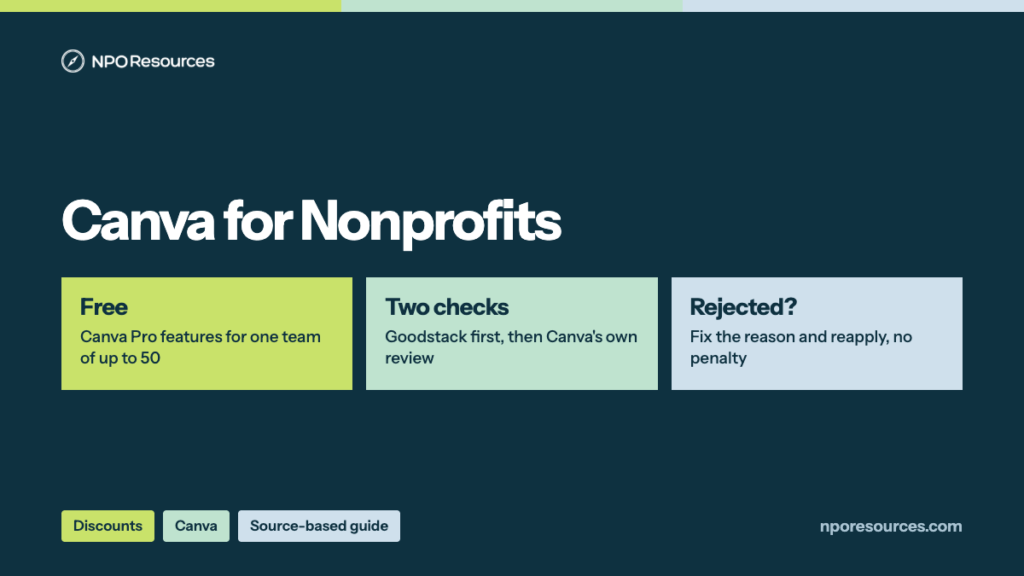
The short answer: Canva for nonprofits is real and it is free. Canva gives eligible organizations all of Canva Pro’s premium features, plus team tools, for one team of up to 50 people. The catch isn’t the price; it’s the fit. Your application passes two checks: Goodstack confirms your registration, and then Canva runs its own review of your mission and funding. This guide shows what the Canva nonprofit plan includes, who fits, what to upload, the steps, and what to do after a rejection, all from Canva’s and Goodstack’s official pages (dates in the sources list).
Key takeaways
- Canva for Nonprofits is free: all Canva Pro premium features plus team and collaboration tools, for one team of up to 50 users (Canva, 8 November 2026).
- More than 50 people? Extra seats are 50% off on Canva Enterprise, which is sold through Canva’s sales team with a minimum of 50 paid seats.
- In the U.S. you need 501(c)(3) status, and Canva adds a funding test: government grants are fine, but direct government appropriations or government service contracts make an organization ineligible.
- Goodstack verifies your registration first; Canva then reviews you separately. Passing Goodstack doesn’t guarantee approval.
- A rejection isn’t final. Canva lists four common reasons, and you can reapply with corrected documents at any time, with no penalty.
Watch: the whole process in under three minutes
What you get, who qualifies, what to have ready, the 6 steps to apply, and what to do if you are rejected. English captions available.
Stuck on a step?
Free help from connectNPO, the team behind NPO Resources. No cost, no sales pitch. Tell us where you’re stuck and we’ll reply by email. Your organization applies itself; we never ask for passwords, bank details or your EIN.
On this page
- Canva Pro for nonprofits: what’s free and what isn’t
- Who qualifies, and the edge cases
- What to have ready
- How to apply for Canva for Nonprofits, step by step
- If your application is rejected
- Already paying for Canva Pro or Business?
- Errors and how to fix them
- Sources reviewed
- Frequently asked questions
- Related NPO Resources guides
Canva Pro for nonprofits: what’s free and what isn’t
Canva’s help article says the program gives “access to all the premium features of Canva Pro, plus team and collaboration tools, for free.” In practice that means:
- Premium images, videos, music and other graphics
- Downloads with transparent backgrounds
- An upgraded Brand Kit for your colors, fonts and logos, and brand templates
- Sharing designs and folders with your team, and template share links
- Access to Affinity, Canva’s professional photo editing, layout and illustration software
Think of it as a shared studio with 50 desks. Here is how the options compare, from Canva’s eligibility guidelines and pricing page on 8 November 2026:
| Option | Cost | Seats | How you get it |
|---|---|---|---|
| Canva for Nonprofits (free plan) | Free | One team, up to 50 | Apply online, verified through Goodstack. No single sign-on (SSO). |
| Canva Enterprise for Nonprofits | 50% off Enterprise pricing | Minimum of 50 paid seats | Through Canva’s sales team only. Adds SSO and more admin controls. |
| Canva Business (regular plan) | US$250 a year per person | Buy per person | Online, for organizations that don’t qualify |
For a team of 10, the regular Business plan would be $2,500 a year, by our arithmetic. The nonprofit program gives that team Pro features plus team tools at no cost; Business adds more on top, such as a larger AI allowance. Canva’s team help article confirms the limit: “For Canva for Nonprofits, you can have one team of up to 50 members for free.” One team means one shared workspace; Canva says only Enterprise and Canva for District subscriptions support multiple teams.
Who qualifies, and the edge cases
The 30-second check
- Is your organization recognized by the IRS under section 501(c)(3)? Look it up in the IRS Tax Exempt Organization Search. Other 501(c) types don’t qualify.
- Does it serve the public or communities in need, rather than its own members, an industry or a business?
- Is any government money you receive a grant, not a direct appropriation or a government service contract?
Three yeses, and you’re not on Canva’s ineligible list below: you can most likely apply today. A no, or you’re unsure: read the details below, or ask us.
Canva says your organization “must meet all three of the following requirements”: charitable registration in your country (501(c)(3) in the U.S.), a charitable primary mission and beneficiaries, and the funding rule. Note the third rule. Canva’s words: “Government grants are the only permitted form of government funding.” An organization that receives “direct government appropriations or funding through government service contracts” is ineligible, even with 501(c)(3) status. And “Meeting these requirements does not guarantee acceptance.”
Eligible
- Registered charitable nonprofits (501(c)(3) in the U.S.)
- A mission that serves the public or communities in need
- Government money, if any, comes as grants
Not eligible
- Government bodies, and government-run libraries and museums
- Other 501(c) types, such as 501(c)(4), (5), (6) or (7)
- Professional and trade associations, unions, social clubs
- Private foundations serving family or corporate interests, and grantmaking foundations
- Political organizations and groups mainly engaged in lobbying
- Schools, colleges and universities, which have their own Canva programs
Edge cases. Canva’s list also excludes public hospitals, for-profit social enterprises and B-Corps, chambers of commerce, employee benefit funds, financial institutions and professional sports. K–12 schools are pointed to Canva Education. And a charitable program run by an ineligible organization doesn’t count: “Charitable initiatives or programs undertaken by an otherwise ineligible organisation do not establish eligibility.”
What Canva’s pages don’t address. Canva’s own nonprofit pages don’t mention churches and other houses of worship, or fiscally sponsored projects without their own 501(c)(3). Goodstack’s U.S. definition adds one relevant rule: “Group exempt organisations must supply their own EIN, and documentation showing their group exemption number to be eligible.” If either case describes you, ask Canva support before you apply rather than guessing. If your exemption lapsed for missing filings, fix that first; our Form 990-N guide explains how it happens.
What to have ready
1. A Canva account with a valid email
You apply from an existing account; sign-up is free. Use an email on your organization’s domain where you can: Canva and Goodstack both point to it.
2. Proof of registration
Goodstack verifies your charitable registration against official records. Have your legal name and EIN exactly as the IRS lists them.
3. Proof you belong to it
After an affiliation rejection, Canva says to reapply with “a signed letter of affiliation, volunteer ID, or another document showing your name, role, and organization.” For U.S. organizations, Goodstack says an EIN Verification Letter “is strongly recommended” to confirm your association.
4. PDFs, unredacted
Goodstack’s document rules: “All documents must be the original version (no redactions) and in PDF format.” Documents go to Goodstack, never to us.
Our nonprofit tech discount application checklist covers the same records for other programs, and our Goodstack page explains the verifier Canva uses.
How to apply for Canva for Nonprofits, step by step
These steps follow Canva’s help article, read on 8 November 2026. The application form only opens inside a signed-in Canva account, so we describe the screens in words rather than show them. Think of a conference with two check-in desks: Goodstack checks your registration at the first, and Canva checks your mission and funding at the second.
1Sign in to the Canva account that will own your team
Make sure the account has a valid email address, ideally on your organization’s domain. No account yet? Sign up for free first. Use the account you want to manage the team from.
2Open the application
If you chose “Non-profit or charity” when you signed up, Canva shows a homepage alert for 30 days with a link to the form. Otherwise, go to Settings, open the Billing tab and select Upgrade to Canva for Nonprofits.
3Pick the right category and fill in the form
Choose the category that matches your organization; Canva’s examples are Registered Nonprofit, Social Impact Organization and Public Health Organization. A wrong category is one of the common reasons for a rejection. Canva also asks you to read the program’s terms before you submit.
4Complete Goodstack’s verification
Canva verifies registration “through Goodstack.” Upload what Goodstack asks for, and watch for its emails, including in spam; Goodstack says it processes applications “within 72 hours, though often it is much quicker” (Goodstack).
5Wait for the decision email
Canva says: “We’ll review your application and update you via your provided email address within 72 hours.” Confirming your affiliation can take longer, and Canva checks its own criteria beyond Goodstack’s verification. Meanwhile, your team can keep using Canva Free.
6Invite your team
Once approved, invite your people to the team. Free seats stop at 50; beyond that, Canva points you to its sales team for Enterprise.
If your application is rejected
A rejection works like an envelope returned for a missing stamp: fix what’s missing and send it again. Canva says “there’s no penalty for resubmitting.” Its help article lists four common reasons:
1. Missing or unclear documentation. Reapply with a document type accepted for your organization and country.
2. Wrong category. Reapply under the category that fits, using an email on your organization’s domain where possible.
3. Affiliation not confirmed. Your organization may not have answered the verification check yet, or the proof wasn’t enough. Reapply with a signed letter of affiliation, a volunteer ID or a document showing your name, role and organization.
4. Mission or activity doesn’t fit. Canva names sports clubs, professional associations and businesses as examples. Fixing paperwork won’t change this one; check the edge cases above.
If you believe the decision is wrong, Canva says to contact it “with your application details and we’ll take another look.” If the rejection came from Goodstack’s side, Goodstack explains how to request a review, and suggests reapplying from a work email if you first used a personal one.
Already paying for Canva Pro or Business?
This is the question Canva’s nonprofit pages don’t answer: they don’t say what happens to a paid Pro or Business subscription when your nonprofit application is approved. Here is what Canva’s general billing pages do say, read on 8 November 2026:
Our suggestion: apply first, and don’t cancel a paid plan until you’re approved and know which account holds your nonprofit team. Then ask Canva support how to move your existing team and whether any unused time can be refunded. Canva’s pages also say nothing about how often it re-checks eligibility; its guidelines say ongoing participation is “decided at our sole discretion,” so keep your 501(c)(3) status and your approval email on file, and ask Canva support if you need to know how renewal works.
Errors and how to fix them
We recheck this page against the official sources. Last checked: 8 November 2026.
NPO Resources is run by connectNPO, a company that provides website and accounting services to nonprofits. This guide and the help offered here are free and separate from those services. We are not affiliated with Canva or Goodstack, and we receive nothing when your organization signs up.
Sources reviewed
We read every source below on 8 November 2026. Prices and rules change; check the source before relying on any figure here.
- Canva: Canva Nonprofits (what’s included, FAQ), Nonprofit features, Eligibility guidelines (requirements, funding rule, ineligible organizations, Goodstack, Enterprise for Nonprofits), Pricing (Business US$250 a year per person).
- Canva Help Center: Canva for Nonprofits (apply, 72-hour review, rejection reasons, can’t proceed), Create a team (50-member limit), Refunds for Canva subscriptions, Cancel a Canva plan.
- Goodstack Help Center (read November 5, 2026): required documents, confirming your association, processing time, requesting a review, no website, nonprofit definitions by country. IRS: Tax Exempt Organization Search.
Frequently asked questions
Yes, for eligible organizations. Canva for Nonprofits gives free access to all Canva Pro premium features, plus team and collaboration tools, for one team of up to 50 users. Additional seats are 50% off on Canva Enterprise, checked on 8 November 2026.
Organizations registered as charitable nonprofits in their country, such as 501(c)(3) organizations in the U.S., whose mission serves the public or communities in need. Government grants are the only government funding Canva permits; organizations funded through direct government appropriations or government service contracts are not eligible.
Government bodies and government-run libraries and museums, other 501(c) types such as 501(c)(4), (5), (6) and (7), membership organizations such as professional and trade associations, private foundations serving family or corporate interests, grantmaking foundations, political and lobbying groups, for-profit businesses including B-Corps, and schools and universities, which Canva points to its education programs.
Canva says it reviews applications and updates you by email within 72 hours, and that confirming your affiliation with the organization can take longer. Updates go to the email address you applied with, so check spam and junk folders too.
Canva lists four common reasons: missing or unclear documentation, an organization type that doesn’t match the category you chose, an affiliation it couldn’t confirm, or a mission or activity that doesn’t meet the program’s requirements. You can reapply with corrected information at any time, with no penalty.
One team of up to 50 members, free. Beyond 50, extra seats are 50% off on Canva Enterprise, which Canva sells through its sales team with a minimum purchase of 50 paid seats.
Canva’s nonprofit pages don’t say. Its billing pages say most subscriptions aren’t refundable and that cancelling keeps paid features until the end of the billing period. Apply first, then ask Canva support how to move your team before you cancel anything.
Related NPO Resources guides
- Canva program fact sheet — the offer at a glance.
- Nonprofit discounts and tech access — compare discount programs side by side.
- Google Workspace for Nonprofits and Microsoft 365 for Nonprofits — free email and office tools.
- Zoom for Nonprofits — 50% off annual Pro and Business plans, and how to apply.
- Adobe for Nonprofits — free Express Premium, discounted Acrobat Pro and Creative Cloud, and where to apply.
- Slack for Nonprofits — free Pro for workspaces of up to 250 members, and how to apply.
- QuickBooks for Nonprofits — QuickBooks Online through TechSoup for a yearly admin fee, and how to set it up.
- Google for Nonprofits — one account for Workspace, Ad Grants and YouTube, and which login to use.
- Claude AI for Nonprofits and ChatGPT for Nonprofits — two AI discounts explained the same way.
- Docusign for Nonprofits — 30% off annual eSignature plans, and how to apply.
- Nonprofit tech discounts — how to check other software programs at the source.